“I started playing and built my app within ten minutes.”
In this panel, host Trent McLaren talks with three accountants who have each built working tools with AI vibe coding: Katie Johnson (AFI Balance, Queensland), Peter Magna (Iridium Business Solutions, South Africa), and Liam McNamara (Project Everence, Adelaide). None considered themselves technical before AI — Katie’s prior experience was GCSE computer science, Peter and Trent both gave up on Python during lockdown — yet all are now shipping real builds. The session deliberately focuses on the pains, mistakes, and lessons rather than polished demos.
Their stacks differ but rhyme: Katie builds in Perplexity Computer (Claude Sonnet under the hood, hosted on AWS in Australia) with GitHub and automated PEP/AML watchlist scans; Liam pairs Claude for planning with Cursor for coding; Peter works mostly in Claude with Replit, and prefers raw APIs over MCP for bulk work. A recurring theme is that MCP is fast for one-off queries but the underlying API wins for repeatable, high-volume processes — Claude itself will often redirect you to the API when a data pull is too large.
The builds themselves are concrete: Katie’s client onboarding portal with an AI agent (“Cafe”) that answers payday-super and payroll-tax questions from ATO and Fair Work data; Liam’s internal operating system on top of Xero, which grew from a payroll-comparison tool into a near-full Xero replica with the hardest challenge being reconciling table relationships back to Xero; and Peter’s payroll-verification app for 200-plus South African companies. All three converged on the same method: map every API endpoint, prove the data on a spreadsheet first, then build through many iterations.
On build-versus-buy, the panel is unanimous — build internal tools you control, and don’t try to rebuild Ignition or Xero. Peter learned that external, multi-tenant products demand security, database management, and a team of three or four people, so he now takes promising concepts to real developers. Liam frames it as building the 30% of software you actually use rather than the bloated whole. Their closing tips: pick one tool and solve one annoyance (Katie), plan thoroughly and feed in API docs via Claude projects (Peter), and start in Google Apps Script for the friendliest on-ramp (Liam) — all on paid tiers for security and data protection.
Key lessons
- Plan before you prompt: quick one-line prompts cost you in broken logic later, so stage out a full development plan and feed in API docs first.
- Map an API before building — pull the endpoints, dump the JSON into a spreadsheet to verify the data, then build once you trust the logic.
- Pick one AI tool, stick with it, and solve the single thing annoying you in your day-to-day rather than trying to build everything.
- Build internal-facing tools you control; buy or partner with a real developer for anything external, multi-tenant, or payments-related.
- Google Apps Script on top of spreadsheets is the friendliest entry point for accountants — an app-like web interface with no databases or hosting to manage.
- Always use paid AI tiers for better security, team access, and to keep your data out of model training.
Tools mentioned
- 10:22 “I started playing and built my app within ten minutes.”
- 21:12 “It's given me such a humbling experience for developers. As you're doing it, you realise someone actually sits and does this coding.”
- 28:52 “It's building by a thousand cuts.”
- 44:52 “Planning is very much underrated. Those quick prompts kill you in terms of logic later on.”
 , the AI meeting assistant for
accountants.
, the AI meeting assistant for
accountants. Katie Johnson, Peter Magna & Liam McNamara (panel, hosted by Trent McLaren) — Founder/CEO of AFI Balance; Sales & Marketing Director at Iridium Business Solutions; Co-founder of Project Everence
02:58Meet the panel: three firms building with AI
Trent: I’m joined by Katie Johnson, founder and CEO of AFI Balance; Liam McNamara, co-founder of Project Everence; and Peter Magna, sales and marketing director at Iridium Business Solutions. Our guests are spread all over the world. Peter is based in South Africa, Katie is up in Queensland but originally from the UK, and Liam is based in Adelaide. Katie, tell us a little about yourself, your team, and your business.
Katie: I’m Katie Johnson, founder and CEO of AFI Balance. I’m at a pivotal part of my career. I spent sixteen years in practice in the UK and now sixteen years in Queensland, Australia. I’m a fully qualified accountant by background, and I’ve just completed my MBA after seven years, on the wrong side of forty. After finishing that, I decided it’d be a good time to fill my time with building an app. I’m also a mum, so anything I’m building with AI has to work in the real world. It’s got to save time and make life easier on both sides, for clients and for us.
AFI is a world-class bookkeeping and business services firm. AFI stands for Advance, Fuel, Innovation. We advance businesses by fueling their goals through automation and integrated finance, and we use innovation, not just as a tech stack, but as the way our systems and processes feel for clients and the team. The portal is live with a small group of clients and myself, not the AFI team at the moment, and that’s deliberate, because I wanted to make sure it was working, that it was simple and doing what it needed to do.
Trent: Peter, let’s jump over to South Africa. Tell us about yourself and your business.
Peter: I run an accounting firm with my brother, Simon. We’re thirteen years old, and we do accounting automation and advisory. We work with around 250 SMEs, and our team is just under eighty people now. I’ve been building for just over a year. We work with a lot of the Xero ecosystem, so all the things I’m building focus around the Xero ecosystem and our practice. A lot of it is off the back of me realising I love technology and tools, but I also love to manage my practice and understand the information within it. Most of the tools we work with don’t have great helicopter views of our practice, and some just feel like there should be a feature that isn’t there. I’ve been using that logic to build things that get our practice running faster with better oversight.
Trent: Liam, tell us about yourself and your business.
Liam: I’m Liam McNamara, one of the co-founders of Project Everence in Adelaide. We run an outsourced finance function firm, from bookkeeping, payroll, and accounts payable up to advisory and compliance, mainly for tech companies and not-for-profits. We’ve got a team of six at the moment. I’ve been building stuff for a couple of years, but more in-depth recently, with a focus on internal apps to help our team rather than client-facing ones at this stage. I really want to improve the day-to-day enjoyment of our team as much as the efficiency, making sure everyone’s actually enjoying their work.
08:07How technical were you before AI?
Trent: A key part of this session is helping people understand how easy or hard it is to build this tech. One of the things I want everyone to understand is that anybody has the ability to do the things you’re about to talk about. So how technical did you consider yourself before you got into these AI coding tools? Liam, how about you?
Liam: When I was a kid I did a lot of Microsoft Access, so I understand database logic well. I did a little bit of coding at uni, but not enough, just hello-world stuff, nothing capable. We did have a startup that we then stopped. So I understood the logic of how things should flow, but I had no technical knowledge from a coding perspective of actually being able to build something before this.
Trent: Katie, how technical do you feel?
Katie: None. GCSE-level computer science a few years ago, building on an old BBC program. So, nothing, until AI.
Trent: Pete, what about you?
Peter: Pretty much the same. Over the last thirteen years I’m used to critiquing many a UI interface and giving other software programs grief over their features. I’m an accountant who loves technology, but I’d never really coded. During lockdown I decided I might try out Python and gave up after a few days.
Trent: I did the same thing. I couldn’t even get anything downloaded. I’m a non-technical vibe coder, and I wear it proudly. I think I’m good enough and a little too dangerous with it these days. I know enough to know that I don’t know enough.
10:22The first thing each of us built
Trent: Pete, when did you start tinkering? Was there a particular problem you wanted to solve first?
Peter: I started out in ChatGPT like most of us. It was just about getting information out of our payroll system. Our current payroll system doesn’t have practice management at all, and I wanted to know more about where my team was in their payroll process. I realised the payroll system had an API. In South Africa, we have a process where you need to verify all your employees at a point in time before you do a big filing. We’ve got over two hundred companies we work with, and that process takes incredibly long, verifying all employees and making sure their details are correct. So I thought, if I can pull the data out, maybe I can verify it on a spreadsheet. After a couple of weeks I got it out and built a pretty good-looking spreadsheet. That was about a year and a half ago, and it’s evolved into an actual application that looks a lot better.
Trent: Katie, what drew you into wanting to build in the first place?
Katie: I call myself a chief failure officer, because if tech fails, I get rid of it and we get another piece. Because we’re boutique, I was trying to build something to fit AFI and my way of working. Through doing the MBA, with all that deep thinking and project work, I came to a point where I thought, why don’t I build? Everybody on social media was going on about Claude, and I started getting firmer on the idea. Perplexity has been my choice for over two years. It might have been one of your posts, Trent, back in January or February. I was on my phone and thought, oh, Perplexity has a computer feature. I started playing and built my app within ten minutes. I thought, this can actually work. My main problem for close to two years has been getting the data, getting onboarding all in one place, going from onboarding to enquiries with everything in one place. The big software is amazing and I’ve tried it all, but there was always something missing. When I started building the app, it just blew up. I’ve run out of my office a few times late at night to my husband and son, saying come and look at what I built.
Trent: I do that every other day, and my wife is always very supportive. Liam, what was your first thing?
Liam: The first thing I built was for when you export all your data out of Ignition, it sends you an email in CSV format, which is a little annoying. So I built something that connected to Gmail, pulled that CSV out, and dumped it into a Google Sheet to project cashflow on existing work. That was all done through Google Apps Script and Google Sheets, which is a nice little intro way to do it. Those types of things were what I was doing for a good eighteen months. It wasn’t really until February or March this year, when Opus 4.6 came out, that it understood the Xero integration significantly better than anything before. So we started building internal apps on top of Xero with a much better integration and much more complexity.
15:39The current build stack: Claude, Cursor, Perplexity, Lovable, Replit
Trent: What are you all using to build right now? Liam, when you go to build something, what’s your tool of choice?
Liam: It’s a combination of Claude and Cursor. I use Cursor to do the actual coding, and I use Claude more as a project manager. It’s a better way of explaining things than Cursor, which gets a bit too technical, and I don’t really know what some of it means.
Trent: Pete, what are you using for your builds?
Peter: I’m using Claude mostly. I sometimes take the code and test it in ChatGPT. I also built in Replit for quite a long time, just to kick out an app and iterate.
Trent: My first experience was with Lovable, which I found really easy. I still recommend it to a lot of people who are never going to get deep into the coding files and setting up databases. I’d say, start with a Lovable project or start with Replit. Katie, the way you use Perplexity Computer, is it similar to how you’d use Lovable or Replit?
Katie: I actually had Lovable going alongside Perplexity Computer, and I just couldn’t fathom it. It kept saying, do you want this, do you want this? So I went back to Computer. It’s on Australian soil, in AWS. I’ve got GitHub going with it as well, and for the AML I’ve got it going with the PEP compliance, so it auto-does all the universal scans and tells you whether someone’s high-risk on a watchlist. Perplexity uses Claude Sonnet 4.6 in the background, so you can connect everything in there. It starts pulling data in from Xero, because we’re a Xero practice. It just works, and you can connect the APIs in. When you said there was an MCP coming out with Ignition, I was like, whoa, my world just got better.
18:30MCP versus the raw API
Trent: Pete, you’ve been playing around with a few MCPs. Were you using the Karbon one as well?
Peter: Definitely. I tested out Ignition and Karbon, but I’ve mostly been using the API. I’ve played around with the Xero API too. I’m keen to test the MCP, but I’ve realised the MCP is kind of just an API, you’re just talking to it through natural language. So I’ve almost preferred using straight APIs, weirdly enough.
Trent: I agree, I find it consistently quicker using the API. Obviously the MCP is quicker instantly, but if you have a repeatable process, the API comes out ahead. Through using Claude, everything runs through MCP. If I say, run my email schedule for the day, triage my inbox, relabel everything, that happens through MCP connecting to multiple data sources. But I’m using the API when I’m building apps. We have a board pack app, a second-brain-style product where we’ve built all our data into Supabase, building all the different integrations into that. It didn’t make sense to do that through an MCP, because it runs on a two-hour sync of pulling down all the data. So when I’m querying or actioning jobs in Claude, MCP makes sense; when I’m building apps, the API is the way to go. Pete, when you use the API over MCP, is there a particular example?
Peter: It was mainly building out something repeatable. If I wanted to pull reporting data from Ignition at large volume, you instantly hit frustrations in Claude saying it’s too big a data source and maybe we should use the API. So Claude was actually telling me to go the API route instead of the MCP. But if I want to query one single proposal, or a handful, it’s really quick to do in the MCP. Those are quick actions; for bulk, large-volume actions, it’s easier through the API.
21:12Katie’s client portal: onboarding, AML, and an AI agent named Cafe
Trent: I’d love to jump into what you’ve built and where you are today. Katie, you mentioned a client portal that took around ten minutes as a foundational block. Walk us through what you’ve done with it and when you’d use it more broadly with clients.
Katie: It’s an onboarding and client app. From the moment after the initial meeting, when a client wants to onboard, they get the invite, sign through all the steps including the AML checks, and then they get access to the portal. At the moment it’s going through trademark. We’ve got Cafe, which is going to be the AI agent that runs the portal. It’ll answer questions like payday super, payroll tax, or certain questions, pulling in real-life data from the ATO and Fair Work, and clients can actually ask Cafe questions. The information comes into our portal and we can ask questions too. We won’t email anymore. We’ll get rid of email noise, and clients will message through the portal, just like we will when we have questions, queries, or documents. It’ll all be in one place. We’ve done that with a small group of clients and myself, and in one to two weeks that’s going live. From the first of July, all our clients will have been re-engaged for the new AML and risk.
Trent: How are you feeling about it? Nervous, excited?
Katie: I’d like to say it’s perfect. I’m sure there’ll be some issues, but I’m really excited that we’ve managed to build something. On the flip side, it’s given me such a humbling experience for developers. As you’re doing it, you realise someone actually sits and does this coding. That was one of my moments: I never want to take that profession or that human-facing person away from developing. They’re going to come in at the end and I’m going to say, I’ve built my vision, you guys can take it from here.
Trent: Every time I think I’m ready to go live with something, I go down a rabbit hole of more features. Claude is very handy at saying, we could do these three things, and I say, let’s do all of them, and two hours later I’m still there.
24:56Liam’s internal operating system on top of Xero
Trent: Liam, you’ve been building on the client side. What workflows have you been solving, what’s worked, and where have the challenges been?
Liam: Everything I’m building is based around Xero, effectively trying to build an internal operating system that sits side by side with anyone in our team at any part of their day. It started as a payroll tool. Xero doesn’t let you easily compare two payrolls to each other, and with a lot of salary-based people, they should usually be similar to the last one. There are a lot of checks done manually that you can’t do with any Xero report. That was meant to be a mini app alongside other mini apps I’d built. Then it turned into building stuff around accounts payable. Once I had accounts payable and a whole bunch of transactions, I thought, could we build a full replica of Xero but with more detail, the history and notes per contact, the payslip data per employee, all of that. That did take a while. Xero’s API over the last fifteen years has been building tables on top of tables, so it can be confusing. The biggest challenge overall was just how this table should link to that table. Claude did a very good job, but you still need an understanding of what should happen and how Xero works on both the back end and the front end. I’ve spent a lot of time with the Xero APIs over the last five years, so I was aware of a lot of it. The biggest challenge was actually reconciling it back to Xero. I kept thinking it’d be nice to build something freestanding that doesn’t need to reconcile back to Xero.
Trent: Pete, you were laughing as Liam said that. Why?
Peter: I’ve seen similar challenges. You expect everything’s perfectly laid out and works, then you start using the API and realise it doesn’t. I’ve had to go back to pulling JSON out of an API, dumping it into a spreadsheet, and looking at what data points are available. Now I query each API endpoint and look at all the data and ask, what can I do with this? I almost build on a spreadsheet first, because I’m an accountant, until I’m comfortable with the logic.
28:52A method emerges: map the API, prove it on a spreadsheet, then build
Trent: Pete, you now query to check the API and what data’s available, bring it to a spreadsheet, and then you feel comfortable building. Is that right?
Peter: Yeah. I’ll take the entire API documentation from a system and dump it into Claude, saying, this is Ignition’s or Karbon’s API, I want to map out every endpoint and verify what information I can access. I’ve been using Apps Script to write those into a Sheet and test the API. My logic is to pick apart an API, look at everything that’s possible, build out sheets showing the various endpoints and what’s possible, and test each of them. Then I dump all that data back into Claude and say, this is what I can access, now I want to start building. It’s a lot of structuring and understanding of what can be done, and then a hundred iterations of what goes wrong until it does what I want.
Trent: It’s building by a thousand cuts. I was laughing at myself the other day because I’m much more tolerant of bugs and errors than I’ve ever been. I’ll say, that doesn’t work yet, I’ll wire it up later. Normally we ship things more polished, but now we’re all shipping half-baked ideas, trying to figure out what sticks.
31:10How the panel plans a build before writing code
Trent: Liam, when you start a new project, are there key prompts or methods you use before you start building?
Liam: In the context of the operating system, there are always modules we’re building, so it’s more, how do I start the next module? I’d always start in Claude and prototype out what I’m doing. Within Claude you can build a JavaScript prototype that’s all clickable, not even in the core design aspect, just regular Claude. Build that out, see what it looks like, and once the clickable prototype is done and I’m comfortable we could do something, I get Claude to stage out a full development plan and work through it step by step. It creates a markdown file that I put into Cursor as the original vague plan, and then it goes into detail on each part. I’ve not really done “here’s a prompt, let’s see what it builds.” It’s very planned out.
Trent: That’s the right way. The issue we all had with the Lovable process upfront is it tries to take all the thinking out for you and present you a thing, and then you’re figuring out you need all these layers, the scaffolding, the database, all the parts you never knew to worry about. Coming out the other side, I now start every project with an actual project plan, breaking down all the functions and features and understanding whether they can work or whether I need to integrate other things first. Katie, do you have a particular approach now?
Katie: I’ve set Perplexity Computer to do an audit at 7am every morning. It audits the site and makes sure the apps are working. My prompts are accountant-ish: what’s the gaps, what’s the risk? Then it puts the scaffold together, and you see what it’s built, snip images, and say, this isn’t right, can you code this? It’s just non-developer prompts. Like Liam, I’ve got a project roadmap of what’s coming next. Every day I also ask, what would you suggest, what are your prompts, without going down the rabbit warren. The key is sticking to the core fundamental of why you were building in the first place and nailing that one aspect, which for me was client onboarding, risk, and AML.
34:30Getting the team on board
Trent: How has your team adopted some of this? Katie, are you encouraging them to build, or keeping it for yourself?
Katie: I’ve not given it to my team yet, only because I’ve put so much software in front of them that I was fearful of adding another piece I’d built. I wanted to make sure it worked first, with a handful of core clients. AFI’s been going for eleven years, so the majority of my clients have stayed with me throughout. I’m all for team development, so my team are going to get access in the next two weeks, and then the fun happens.
Trent: Pete, you’ve got eighty staff. Do you have an innovation team or lab, or are you holding it for yourself?
Peter: The applications I’m building, I’ve let loose on a lot of team members. A lot are in our payroll, onboarding, or tax space, so I’ve given those to the people in those areas and said, you could do something faster now, tell me if it’s wrong. When it comes to Claude and ChatGPT, we’ve pushed Claude on our automation team, who do system implementations, and that’s making their job faster. Our advisory team, with fractional CFOs, are quite deep in Claude. One of their team members spends a lot of his time in Claude helping build things out, so he’s almost the Claude champion for advisory. A lot of our senior management have Claude and ChatGPT to play with. For our main team, they’re on Gemini because we’re a Google business, so they can play with Gemini as much as they want, but I’m not yet releasing them into the Claude world to go build stuff. I want them to focus on what they need to focus on.
Trent: Liam, how about your team?
Liam: I’ve got a team of six including me and Amy, and we have the Claude team plan. One team member is super keen and builds; she can actually code, so that’s a bit different. It’s more used by the rest of the team as a research thing, or for improving emails and general responses through the chat function. I’ve been the one building. With a team of six, we can’t all be building, otherwise no one does any work, so I’ve taken it upon myself to be the one that builds.
38:32Build versus buy
Trent: You now have the ability to build things and a good idea of what you can build, or maybe what you should buy instead. Do you have a view on when to build and when to buy? Katie, you first.
Katie: I can build everything, it’s vibe coding. But I don’t want to conquer the world. Some tools, like Ignition and Xero, I’ll always use. I want everything else to go into an app. I only want a handful of software, because otherwise it becomes messy and your processes and training during growth periods go to another level. We’re not full turnkey tax accountants in Australia; we go all the way up to advisory, we do everything but tax. So we don’t want to conquer, we just want to stay in our niche as a boutique firm.
Trent: Pete, same question. At what point do you decide, I can build that, or I’ll buy that?
Peter: When I started and got excited last year, I thought I could build the next Xero, the next payroll system. I even prompted, how do I take over Ignition? I spent a lot of time in those rabbit holes and realised there’s a lot that goes into building a full-fledged external system. I don’t know security or database management. Releasing something to the world that lots of people touch is outside my skill set. There were times I built something and thought I could release it to accountants, then realised I’d need to learn multi-tenanted architecture, having multiple versions of the same application, and that’s scary. I asked my coder friends and they said you’d need three or four people to manage that. So my logic now is to build lots of things that improve our practice, that have fewer people touching them, that I’m not trying to sell. If I find a concept I really like, I’ll go to a real developer and build it out with them, getting them to sense-check the security.
Trent: Liam, when do you make the build-versus-buy decision?
Liam: At the moment it’s all internal, building the things existing providers don’t have, or that we just haven’t found the right fit for. If a provider is ninety percent there and there’s ten percent I really want, then it’s, let’s look at building that. Over the next twelve to twenty-four months, with how much it’s improved even in the last five months, so long as things are internal-facing, I don’t see that many things that can’t be done exactly the way you want. If you think about all the software we purchase, we might use thirty percent of it, because they’re building for so many audiences. If you’re only going to build the thirty percent you want, that’s a very different proposition to rebuilding Ignition. There are certain aspects, like building out payments, that aren’t possible without a whole bunch of other stuff, unless you have a ton of money or open banking improves.
44:52One tip each
Trent: If you had one tip for the audience trying to build something, what would it be? Katie?
Katie: Pick your AI tool, stick with it, and then pick the one thing that’s annoying you in your day-to-day process and use AI to try to solve that.
Trent: And if you’re going to build something, use the paid version of your AI. For everyone listening, always use a paid version of your ChatGPT, Claude, or Perplexity. They come with better security permissions and better team access. Check whether your team is using free or paid versions to connect to your data, because typically you need to be on a paid version for the AI training not to happen on your data. Pete, your one tip?
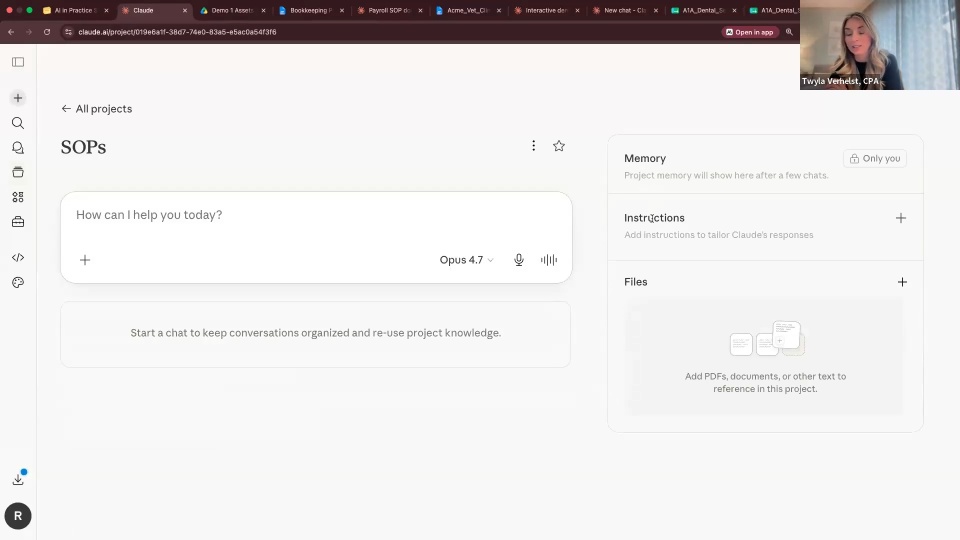
Peter: Planning is very much underrated. Spend a lot of time planning out what you want to build before you dive in; you’ll save a lot of time. Those quick prompts kill you in terms of logic later on. Gather a lot of information, grab the API documentation, and feed that into the system. I use projects in Claude, so I add project files and lots of information so Claude has as much as possible to work with.
Trent: I use projects and folders too, and if you’re using Claude Code, putting everything in the right folders, plus projects and schedules to run on a recurring basis. Liam, your big tip?
Liam: The simplest way into app-building is starting in something like Google Apps Script, which is super friendly to accountants who already know how spreadsheets work. You’ve probably already got a lot of data in spreadsheets doing something. With Apps Script sitting on top of that, you can have a web interface that looks and feels like an app, but you don’t have to worry about databases or hosting; it’s all done in there. That was my entry point into seeing what it could look like, and you can always turn it into something bigger later. It’s the friendliest way to feel like you’re coding something, and that’s all that really matters.