“At the end of the day, the more context that AI has, the better the output it's gonna give you.”
Ben Walker, founder of the 35-person Brisbane firm Inspire and an accounting firm coach, walks through twelve months of real AI implementations — from thinking AI was a toy in late 2024 to running dozens of production systems. His central thesis is that context is everything: a single “master prompt” project in Claude that knows 338,000+ words about his firm produces dramatically better output than a generic model, and that context compounds and transfers from one agent to the next.
He demos three working systems: turning a Vinyl meeting transcript into a structured, document-controlled SOP in minutes; an AI agent that reviews year-end financial statements and tax returns (suggesting journals and flagging issues like missed Division 7A interest) to cut review-point churn and catch errors before the client; and an AML compliance build that produced customised policies and a CDD onboarding workflow in a single afternoon, avoiding a $5–10k/year vendor.
A recurring theme is independence and IP ownership. Ben turned down a $100k done-for-you AI proposal because he’d have been locked into someone else’s system with nothing to show if he cancelled; instead he learned it, built it himself, and can move from Claude to Gemini or ChatGPT taking his context with him. He’s mindful of security (Claude team plan, rating off, no TFNs in chat) without obsessing to the point of paralysis.
On rollout, he urges practitioners to put their own oxygen mask on first, build a single source of truth so teams stop interrupting seniors, and give staff a framework to bring proposed answers rather than raw questions. His implementation advice: pick one problem worth solving, run a 5–10 day sprint, expect dozens of revisions (his tax-planning agent took 40+), keep a human in the loop, and fix broken processes before automating them.
Key lessons
- Context is everything — the more your AI knows about your firm's processes, the better the output; Ben's master prompt held 338,000+ words about his firm.
- Stay platform-independent and own your IP; he turned down a $100k done-for-you AI proposal and built it himself so he could move off Claude anytime.
- Feed Vinyl meeting transcripts into Claude to generate structured SOPs in under an hour instead of 5–15 hours.
- Use an AI review agent to pre-check year-end financials and tax returns, cutting review-point back-and-forth and catching errors before the client.
- Build a single source of truth so the team asks AI common questions instead of interrupting seniors 30+ times a day.
- Pick one problem worth solving, run a 5–10 day sprint, and expect many revisions — keep a human in the loop and never automate a broken process.
Tools mentioned
Resources & links
- Claude (Anthropic) tool
- Vinyl tool
- Karbon tool
- Xero tool
- Wispr Flow tool
- AI-Powered Delivery Engine year-end workshop event
- 12:00 “At the end of the day, the more context that AI has, the better the output it's gonna give you.”
- 15:51 “I had a hundred-thousand-dollar proposal in front of me for someone to implement AI for us — and I wouldn't have owned the IP at the end of it.”
- 39:34 “What I was able to do in one afternoon with Claude... it gave our first run at all the customised policies that we needed.”
- 45:32 “Don't automate a broken process. You want to fix the process, then automate it.”
 , the AI meeting assistant for
accountants.
, the AI meeting assistant for
accountants. Ben Walker — Founder, Inspire (and accounting firm coach)
05:16From “AI is a toy” to dozens of systems
Welcome everyone. Good to talk to you as a fellow practitioner — I think that’s going to be the big benefit here, because you’ll be able to see what’s actually working inside a firm. I’m based in Australia and most of what I talk to is Aussie, so depending on where you’re joining from some of this may or may not be directly relevant. But there are concepts overseas attendees can take away, and I’ve got three working demos for you today.
A little over twelve months ago, in late 2024, I thought AI was a toy. I tried ChatGPT a couple of times, asked it some text questions, and felt pretty cool when it stuffed them up and hallucinated — even though I probably didn’t know what “hallucinate” meant back then. But I had a nudge from a mentor to lean into it, and that’s what I did over the 2024–2025 Christmas break.
My usage since then has gone through the roof. It’s like a J-curve. Through 2025 I started to see how it could benefit me, almost like a chat window. Towards the end of the year is when we started getting huge results — just massive. Fast forward to today and we’ve got dozens of AI systems running inside Inspire, including help right through the tax planning season we’re in the middle of.
You might be here because you don’t know what’s possible beyond ChatGPT for writing emails. Maybe you don’t know where to start — there’s a lot of noise with AI: lots of options, providers, security risks. That confusion sometimes delays our start. You might even be worried about implementation; a lot of practitioners are moving into AI themselves but rolling it out to the team is a project in itself. I’ve been through all of those same feelings, so I’m hoping today is a bit of a map for you. We’re best positioned when we learn from others who’ve gone ahead — what’s taken me twelve to eighteen months to work out might only take you months.
09:47Security: how to set AI up safely
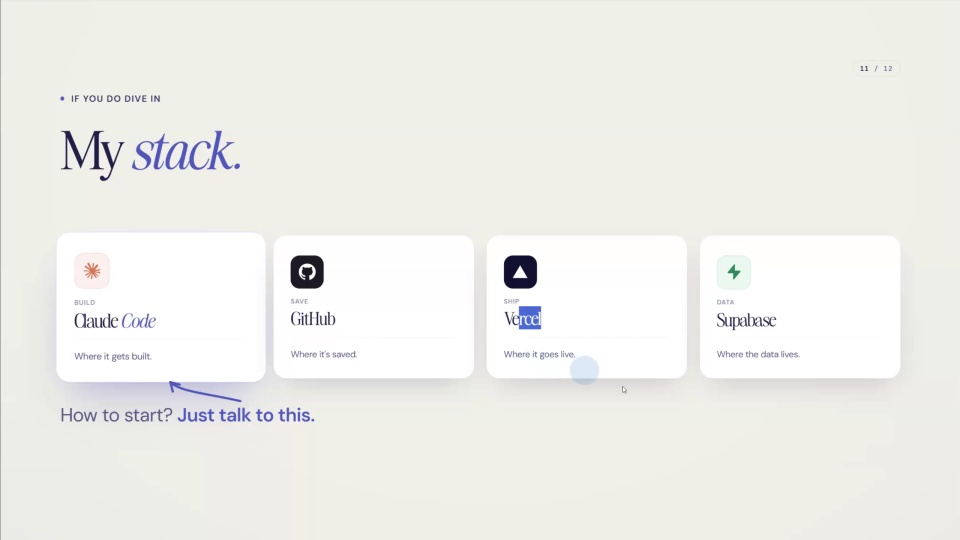
This is a very common question — it came up in an Ignition MCP session a couple of hours ago too. I use Claude for most of my AI work, and my recommendation is to go for a Claude team account. You have to sign up for a minimum of five users, but if you’re not using it for other people in the firm, I’m sure you will be soon.
Turn off rating chats. The moment you give feedback to Claude about how it’s going, it might take bits of your conversation and feed that back to training. I don’t want our data used for training, and that’s one of the benefits of a Claude team plan — the agreement says they won’t train the model on what you give it.
Then just be sensible about what you put into the chat. I wouldn’t be uploading client TFNs (tax file numbers, for those overseas) into a chat window — just like you wouldn’t upload your credit card details.
If you’re still in the zone of dismissing AI as a fad, I think that’s dangerous right now. Six to twelve months ago you’d get away with it, but the longer you keep that mindset — whether you’re scared of it or you think it’s a joke — the more it hurts you. Yes, it does some stupid stuff sometimes, but on balance it’s so smart and it’s moving the needle, at least in Inspire. Push through the hallucination side of things and learn really good strategies for using it so it gives you awesome benefits.
12:00The AI brain: context is everything
If I had to cover the steps I’ve moved through over the last year, the topics are: the AI brain, AI-powered SOPs, quality systems (using AI for review of year-end work), team empowerment, and implementation.
The AI brain comes first. At the end of the day, the more context AI has, the better the output. For a live demo I’ve got two Claude windows side by side. The left-hand side doesn’t know much about me or Inspire. The right-hand side knows an awful lot — I counted it a few months ago and it knew 338,000 words about me and the firm. The left side barely knows I’m an accountant.
The outputs are relatively similar, but the magic is in the small things. The right-hand side — what I call a master prompt project — knows we use Xero for ninety-seven percent of our clients or more. It knows we do tax planning in the lead-up to 30 June. It just knows an awful lot. The more it knows about your firm and your processes, the better the output. I did another test a while back to write a bio on myself for a fake article — using Claude with a ton of context versus a tool with none, the results were miles apart.
15:51Staying platform-independent and owning your IP
If you’re a heavy ChatGPT user and haven’t explored Claude, it’s a bit of a buzzword right now and a lot of people are moving toward it. I put together a free three-video course on why you might consider switching, linked in the chat.
But at the end of the day, I’m platform-independent to a very big degree. I had a hundred-thousand-dollar proposal in front of me for someone to implement AI for us — and I wouldn’t have owned the IP at the end of it. I’d be stuck in their system, and if I cancelled I’d walk away with nothing. That’s a really big thing I’m wary of with anyone who offers to help you with AI: who owns the IP?
The way I’ve gone about it, I can walk out of Claude. If Claude ends up being second-class in a few months, I can go into Gemini or back to ChatGPT and take that context with me. I’m portable and independent of platform, and I think we should keep that in mind as we approach AI.
Building this context does take work, but the more you already have documented, the easier it is to get it into Claude and get it structured. And it’s transferable. There was a session earlier on the Karbon API — I’ve linked Karbon APIs with SharePoint for one use case, and I’ve been able to take those learnings and apply them to the next agent. We build context at each step.
On other tools — someone mentioned Copilot. I’ve played with it and test it now and again, but the way we’ve set up our use cases in Claude far surpasses what I’ve gotten from Copilot. If Copilot ever overtakes Claude, we can pick up and shift over. On security and “context leak” worries: I talked to the security side earlier and I’m mindful of it. We need to be very mindful of security, but not obsess over it to the point that it stops us doing things.
18:43AI-powered SOPs from a meeting recording
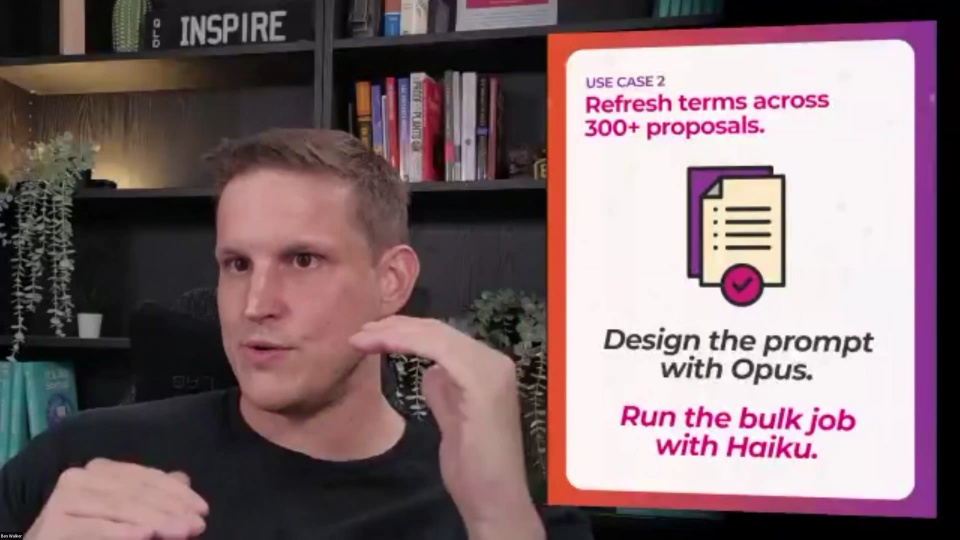
A lot of these stories start with a problem in the business. Through building all that context in Claude, I worked out that one of our accountants was converting sales something like 438% better than the other accountants — I analysed the data over months and years. So I asked: what is Austin doing differently? I put together an interview to find the secret sauce, and it turned out to be the little stuff — research before the call, follow up quickly, send the email soon after the meeting, follow up the sale. We turned that into a training and an SOP.
We use Vinyl internally to record team meetings — it notes who’s saying what in the room. When we’re focusing on building or improving a process, we record the meeting, then feed the transcript into Claude. Because Claude knows so much about us, our processes and our people, we can produce amazing structured SOPs just by having a chat about it.
For the demo, I took a Vinyl recording of a managers’ meeting and asked Claude to turn it into a standard operating procedure — and not to ask me any questions, just so we don’t get held up in the workshop. Normally it would push the SOP straight to where our SOPs live, in another piece of software the team can access. It reads our QMS (quality management system) to understand how we write an SOP, how we do document control, and the structure. It’s also reading how to write a Word doc — that’s a native skill, so it works out “how do I do that again?” and uses its document-creation skill.
The example I gave was moving to Karbon e-signing — specifically the approvals function in Karbon to sign off client BAS, to reduce splitting it between Xero Sign and having clients log in. I’m deliberately not asking it to push live, because this is part of a bigger change to our BAS process and I don’t want it touching our live systems yet.
It takes a few minutes — it’s analysing a Vinyl transcript and thinking about how it applies in our business. That’s hours of manual work compressed into four or five minutes. It’s very common for me to have two or three Claude windows open doing different tasks while I wait. You can expand what it’s doing and literally watch it format a Word document as it goes.
Here’s the result: full document control, our QA Ali listed as doc owner, the source noted as a managers’ meeting, attendees, purpose, rollout and transition, roles and responsibilities. We’re building SOPs for team members, but we’re also building more context for AI as it starts helping with delivery work.
A few questions from the chat. Some accountants I’ve coached have produced a 38-page SOP when it only needed six or seven. Using a dictation tool — I use Wispr Flow as I speak — you can just say, “Instead of 37 pages, can we trim this to six or seven, and maybe cut the sections on X, Y and Z?” It’ll realise it over-engineered for a 35-person firm and chop it back. Most things I get it to draft, I go back two or three times for revisions — that’s totally normal. The mistake is thinking, “It didn’t get it right the first time, let’s write it off.” On whether Claude can build SOPs from a Loom video: Loom or Scribe can create SOPs from video natively, but yes — I’ve had Claude transcribe the audio in a video, understand what’s going on, and create SOPs or artifacts off the back of it. Same way you could get the five-minute version of a 45-minute webinar.
So we’ve got a document accelerator generating SOPs on demand. Depending on what you’re documenting, an SOP that might take five, ten or fifteen hours can come down to under an hour.
29:22Quality systems: AI review of year-end work
Quality systems have been a big one — one of my team members, Riz, built the initial working copy. This agent reviews tax returns and financial statements for a family group. For the demo I’ve given it a demo set of financial statements and tax returns.
The benefit is in the back-and-forth a normal review creates. A reviewer raises a point; it might take the preparer ten, fifteen or twenty minutes to get their mindset back into that question, look it up, and type the answer back, and then the reviewer has to tick it off. Once this agent has done its review, you can ask those quick questions directly — and by pointing to the right part of the work paper, it can save you review points that, across both people’s time, might be twenty or thirty minutes each. That starts saving material time.
It also enables a pre-review: before a team member submits a job, they can throw it in here, ask questions, and get guidance to lift the quality before it ever reaches the reviewer. That preserves the manager’s time.
On security — yes, sanitise before you put it in. Make sure you’re not uploading TFNs; you can even drop out names. Here I’m using demo clients we created: when we hire team in the Philippines we put them through a technical test that has them build financial statements and tax returns, and this is one of those outputs being reviewed.
The output is a large report, including suggested journals to take back to the Xero file — “fix this error,” or “you forgot to raise Division 7A interest, here’s the journal.” We want it doing as much thinking and suggesting as possible. The purpose is to reduce errors in submissions to review, and ideally catch errors before anything reaches the client. When we had it analyse hundreds of year-end jobs — just the review-point section — it showed where people were stronger or weaker and where there were systemic errors, which points us toward focused training. If Division 7A is a big area for mistakes, let’s direct training there and get a better result.
34:19Year-end: AI for the heavy lifting
Year-end is the hardest and longest of the delivery jobs we do. I’m guessing most of us here do tax and compliance rather than advisory-only. My belief is there’s still a viable business just doing that — we don’t all need to pivot to advisory to save ourselves, at least in the short to medium term.
What I’ve been working on the past month or two is getting AI to help with the heavy lifting around year-end. I’ve got a dedicated workshop on this next Wednesday — it’s a paid workshop focused on leveraging AI for Australian tax delivery, so it’s not appropriate for non-Aussies, unfortunately.
35:48Team empowerment and a single source of truth
Think of the saying: put your own oxygen mask on before helping others. If you’re the owner or a senior team member, get help for yourself first, then use AI to save time across the team.
One thing the partners and managers were dealing with was a huge volume of questions per day — often the same ones. We surveyed our Philippines team and found something frustrating: someone in Team A would ask Team B how to do a process, and Team B would give Team B’s process back, which isn’t exactly what Team A does. You end up with a mess where people train each other wrong and there’s no single source of truth.
My big recommendation: document the answers to all those common questions and make them available where your team can access them. Even better, put it in an AI-empowered environment where they can ask a question as if they’re asking you, and it searches the whole Q&A knowledge base. That’s part of what I help my coaching clients implement.
The goal is to go from thirty interruptions a day — some of you more — down to a handful. And a huge recommendation for owners, managers and team members alike: don’t take a question to your senior without doing some thinking first. Give people a framework. You can even pre-prepare a prompt so they go to the AI system and say, “I’ve got this issue, help me work through some options.” Then they come to you not with the question, but with the question, three proposed answers, and the one they reckon you should go with. You add the bits on top — the context you know about the client, or the twenty or thirty years of experience that says, “I see how you got there, but let’s go with answer two for these reasons.” They go through their own learning process and become as independent as possible.
39:34AML: building compliance in an afternoon
For the Aussies, we’ve got new AML rules coming in from 1 July — just under a month away. I was blown away by how much AI helped here. Software vendors were quoting five or ten thousand dollars a year for AML tracking. In one afternoon with Claude — which knows a ton about us — I had it research all the requirements (I double-checked it, of course), and it produced our first run at all the customised policies we needed.
I even linked up a workflow where it takes an onboarding transcript from Vinyl. We already ID clients for Tax Practitioners Board requirements, and we were adjusting our onboarding to do the full CDD — the client due diligence — that we’re now required to do. It’s a lot of work to get to that stage, but I built something usable in one Monday afternoon, well ahead of the 1 July deadline, and I don’t currently need a software vendor for the tracking.
41:01Implementation: pick one problem worth solving
You’re attending one session in a day with maybe fifteen on offer — you might leave with dozens or hundreds of ideas. It’s very easy to get overwhelmed. If you know the Dunning-Kruger curve, you get to a certain point quickly, then realise how big the space is, and you work through the valley of despair.
I’ll acknowledge the emotional roller coaster too. The more powerful you see AI become, the scarier it gets — “Am I going to have a job in two, three, four years?” Looking at where AI is now versus three to six months ago, it’s a very different space. That emotional thing is real. It’s easy to feel silly about where to start when there are so many options — Claude, ChatGPT, Copilot, and accountant-specific tools. Learn from people a bit ahead of you; that’s exactly what I did, asking people leagues ahead about acronyms that made no sense to me.
If you’ve got a list of ideas, just pick one — but make sure it’s a problem worth solving. I’ve seen people invest three, four, five hours to save five minutes a month; that doesn’t make sense. Pick something you know is a big issue. Do a five- or ten-day sprint to develop it, get it to a point where you can test it, and give it feedback. Feedback is the key.
Our tax planning agent took me forty-plus revisions. I got to the point of questioning whether I was actually saving time or just piling weeks of my own effort in to save the team a couple of weeks. I pushed through, and now we have a fantastic working tax-planning work-paper agent — and I can take what it learned and apply it to other processes. It can be very draining, but once you prove it works, you roll it out to your team and move to the next thing.
45:32Hard-won principles and wrap-up
A few principles I’ll leave you with. I’m wary of long-term software contracts, especially long lock-ins, given how fast AI moves. Don’t automate a broken process — fix the process, then automate it. Don’t chase every new tool; that’s exhausting. And don’t let AI touch work without a human signing off — that’s the whole human-in-the-loop idea.
I was pitched a hundred-thousand-dollar proposal in the first twelve months for someone to do AI in our business for us. I said no. I learned it and built it myself. I own the IP, I understand how it works, and I can move platforms if I need to.
I share all of this in my coaching membership, the firm. It’s not all about AI — I started coaching firm owners on pricing and profitability, how to productise or create subscription services, how to build capacity, and growth: sales, marketing and leadership. AI is the accelerator to implementing those things extremely fast. Thank you very much for having me.