“I'm a chartered accountant. I've been about thirty-five years in the profession, and I can't write a single line of code.”
In the closing session, chartered accountant Mark Wickersham demonstrates how someone who has never written a line of code can build genuinely useful software. He frames “vibe coding” — building apps by describing them in plain English — as one of the biggest opportunities open to firms right now, noting he has built around seventeen apps this year and that the cost of building software has “collapsed to near zero.”
Mark first grounds the audience in the concepts that matter even when you never see code: front end vs back end, databases, authentication, CRUD, and row-level security, each explained through everyday analogies. He then walks through his three-stage process — plan, create, optimise — emphasising that the real leverage is in preparation. His signature move is to write a product requirements document (PRD) in ChatGPT, letting the model ask twenty or thirty clarifying questions before any building begins, which preserves build-tool credits and enables a near-complete app from a single prompt.
The live build uses Lovable, which he recommends for non-coders because Lovable Cloud bundles a Supabase database, AI credits, document storage, and strong row-level security with no separate subscriptions. He feeds in the PRD, watches Lovable scaffold the UI, database schema, and storage, then inspects the generated tables and RLS policies, adds a firm logo, and uses plan mode to surface what’s missing and generate new feature ideas.
Alongside the month-end reconciliation app, Mark tours a range of things he has built — debt-repayment and retirement planners, financial dashboards, value-pricing package tools, club and catering websites, lead pages, and an internal HR app his daughter built — to show the breadth of what’s possible. His recurring message: the binding constraint is no longer technical skill but imagination.
Key lessons
- Vibe coding lets non-coders build working apps by describing them in plain English and guiding the AI step by step.
- Always plan first: write a product requirements document (PRD) in ChatGPT before touching the build tool, to save credits and get a better one-shot result.
- Lovable is the most beginner-friendly tool because Lovable Cloud bundles a Supabase database, AI credits, storage, and row-level security with no separate setup.
- Understand the core concepts — front end vs back end, databases, authentication, CRUD, and row-level security (RLS) — even though you never write code.
- Work in three stages: plan (PRD), create (scaffold, auth, database, features), then optimise (error handling, UX, mobile, security).
- Alternate between Lovable's plan and build modes — ask for summaries, gaps, plans, and feature ideas in plan mode before committing changes in build mode.
Tools mentioned
Resources & links
- 03:44 “I'm a chartered accountant. I've been about thirty-five years in the profession, and I can't write a single line of code.”
- 06:48 “The cost of building software has collapsed to near zero.”
- 16:56 “The limit here is just your imagination. If you can imagine it, you can build it.”
- 50:11 “This is vibe coding — you just talk to it, you don't have to understand the code.”
 , the AI meeting assistant for
accountants.
, the AI meeting assistant for
accountants. Mark Wickersham — Chartered accountant, founder of the AI Academy & Effective Pricing
03:44Why an accountant who can’t code is building apps
Quick intro in case you don’t know who I am. I’m a chartered accountant. I’ve been about thirty-five years in the profession, and I can’t write a single line of code. At almost fifty-nine years old, I sometimes feel I’m perhaps too old to learn anything new, but no — I’m fascinated with AI and vibe coding.
What I’ve found is that most firms now are talking about AI, but very few are actually building anything useful with it. Most people just aren’t really using it properly. And yet there are huge opportunities right now to build stuff — apps, tools, automations — to make our lives easier and to make life easier in our practice.
So in this session we’re going to look at what vibe coding is. I’ll talk about five concepts you need to understand. We’ll look at the best tools to use. I’ll do a quick tour of some of the apps I’ve built — even though I know nothing about coding, I think I’ve built seventeen apps so far this year. Then I’ll walk you through the process from going from an idea through to a finished app, and we’ll do a live demo: we’ll build a financial app, and fingers crossed, it’s live, so sometimes things go wrong.
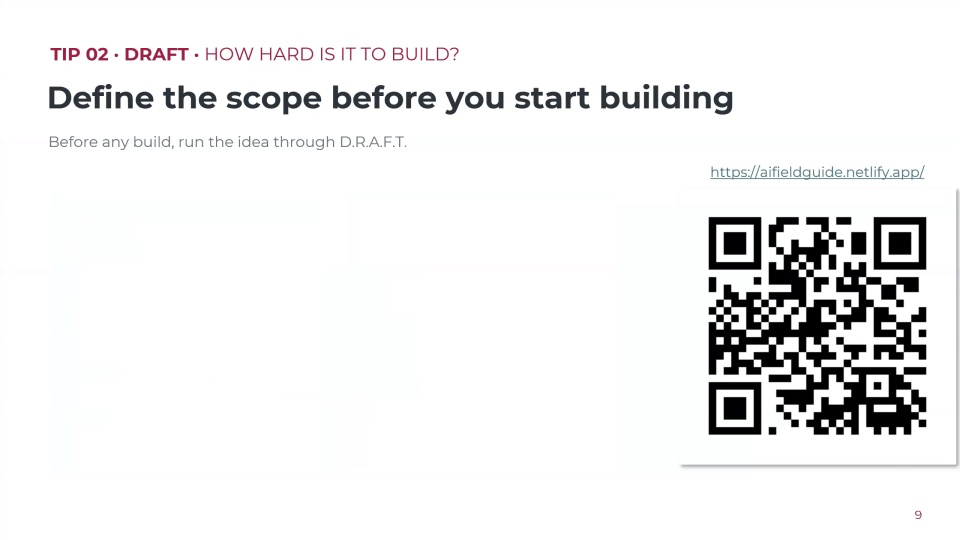
I don’t do slides, but I’ve created a twenty-odd-page guide that accompanies this session, and I’ll give you a link to it. It covers the terminology, the tools, the build process, and the prompts, so it’ll help if you want to revisit this.
06:48What vibe coding actually is
What is vibe coding? Essentially, it’s just building software apps by simply describing what you want in plain English and then guiding the AI step by step. That’s all it is. You don’t need to write code. I don’t understand how to write code. You just write plain English instructions.
The term, if I remember right, was coined by Andrej Karpathy, one of the cofounders of OpenAI, back in early 2025. It’s not been around long as a term, but it became a thing around April or May of last year — everyone was talking about vibe coding. It took me six months to finally jump on the bandwagon. I wish I’d done it earlier.
We can build custom tools now. I’m building tools that I was previously paying for as apps in our tech stack. The cost of building software has collapsed to near zero. It’s changing everything for firms. You can build things in an afternoon or a morning.
08:17Five concepts: front end, back end, databases, auth, CRUD, RLS
You don’t need to know how to write code, but there are some concepts that really help. I like analogies, so think of a restaurant. The front end is the dining room — it’s where all the customers are, all the screens and buttons that people see in your app. The back end is the kitchen — your database, your logic, your security, where all the real work happens. When we’re vibe coding, we build the front end first, and then we connect it to the back end.
Next, a database is a structured place to store information — think of it as an organised spreadsheet that your app reads from and writes to. Every app you create needs somewhere to keep its data: client names, transactions, notes. It’s in the background, but you need to know it’s there.
Then there’s authentication, sometimes referred to in code as “auth.” Auth is how the app knows who’s logged in — the sign-up and the login, so the app knows who you are for the rest of the session. We typically set this up before the features, because every feature depends on knowing who the user is. Some features might be for the admin, some for everybody.
Then we have CRUD, which stands for create, read, update, delete. When we’re building things — say, putting our clients in there — we’ll want to create clients, delete clients, and edit or update data.
Lastly, row-level security. This is a big issue; we have to be aware of security. Think of a block of flats. You typically have two keys. One gets you into the building — that’s authentication, the login to get you into the app. The second key gets you into your apartment where all your valuable stuff is, and nobody else who lives in the building has access to your flat. That’s row-level security: it’s built into the database to ensure users only get access to their own data. Without RLS, users could potentially see another user’s data. The good news is the app I’m going to demonstrate is really good with RLS.
12:09Choosing tools — why Lovable for non-coders
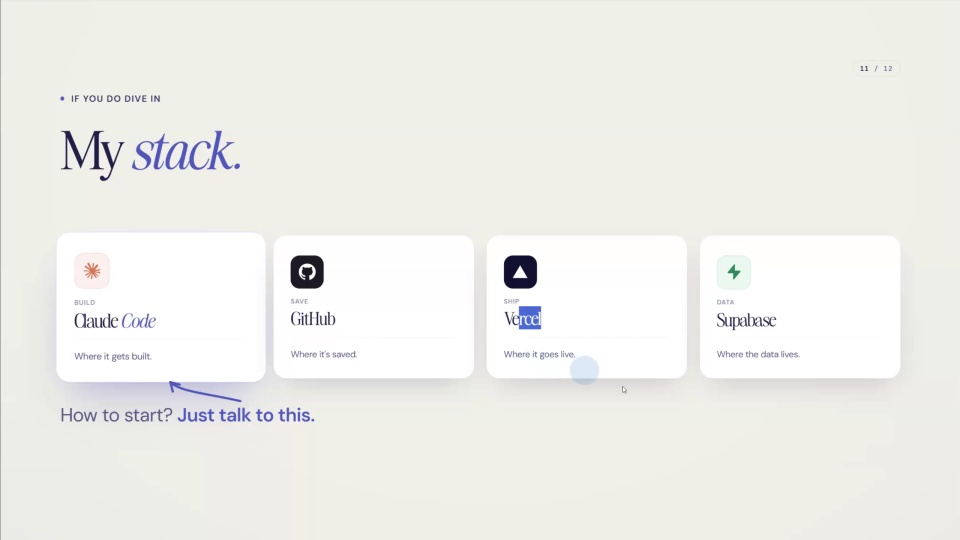
Let’s talk about what tools you can use. The ones most people talk about are Claude Code and Codex. Claude Code is part of Anthropic’s Claude platform, and Codex is OpenAI’s. They’re both powerful and flexible, but they tend to be more developer-orientated. For about eighteen months, Claude Code was considered number one, but the latest version of Codex is arguably even better according to a lot of developers. The problem is they feel like a scary environment.
If you’re an accountant or bookkeeper who knows nothing about writing code, there are non-coder-friendly apps out there — dozens of them. The two biggest are arguably Lovable and Replit. They make it so easy. My recommendation for starting is one of those two. I love Lovable. I did a lot of research, and Lovable is arguably the most user-friendly, and I believe it’s the biggest of the vibe coding tools in market share, so they’re here to stay. That’s what we’ll use for the demonstration.
The reason I love Lovable: firstly, it’s genuinely easy to use — just type what you want and see the result in real time. Back in September, they introduced Lovable Cloud, which means you get a database included in your space — they have a relationship with Supabase, and it sits in the back end, so you don’t have to worry about a database or a separate subscription. With other vibe coding options you’d probably have to subscribe to a database like Supabase and connect it all up; Lovable takes that hassle away.
It’s also got AI credits built in, so you can build apps with AI without connecting up your own API keys from Claude or ChatGPT — you use Lovable’s credits, and they give you a free amount. I haven’t even used mine up in six months. You also get document storage for apps where you upload files like invoices to analyse. The security is strong — proper RLS and data protection. Publishing is flexible: you can publish on Lovable’s own domain if you don’t want to mess with DNS settings, or connect your own, or buy a new domain through Lovable, which automatically sorts out the DNS.
There’s a free plan that gives you five daily credits, up to a maximum of thirty, renewing every month. You can build some simple apps on it. We’ll use Lovable today, but you can take the principles and use any of the other tools out there.
16:56A tour of seventeen apps built this year
Let me give you a quick tour of some things I’ve built, just to give you a flavour. The first one is a bit ugly, but it’s what we’re going to build today — a financial app. I created a whole bunch of fictional documents: purchase invoices, sales invoices, and bank statements for a fictional business. The idea is to collect a client’s monthly or annual invoices, upload them, and then the app categorises the bank transactions, categorises the uploaded documents, and matches them — flagging which items on the bank statement don’t have a supporting document. It creates a review summary and a dashboard. This took me about an hour to build.
I run the AI Academy, and I’ve built an app portal where members can access apps I’ve built. For example, there’s a debt advisory app: you put in a client’s debts and budget, find how much they could save each month to start overpaying, and it works out the best way to pay debts off with graphs and charts, then creates a repayment plan to share with the client. In my example, instead of 162 months, they could get out of debt in 94 months and save £43,000 in interest — a powerful advisory solution.
Another one is a retirement planner, which I built for myself to answer “can I retire yet?” and then shared. You put in assets, liabilities and so on, and it tells you whether there’s enough cash to last to their longevity date. I’ve built an invoice summary tool that takes unstructured data like invoices, analyses them, gives warning messages if something doesn’t look right, and even handles foreign currency by applying the exchange rate.
There’s a financial dashboard where I uploaded a profit and loss account and got all sorts of metrics — you can switch to dark mode, choose which cards to show, and create a nice dashboard to sit down with a client. I teach value pricing, so I’ve built apps for repricing existing clients and for building out service packages, with generative AI in the background that suggests what goes into a bronze, silver, or gold version of a service.
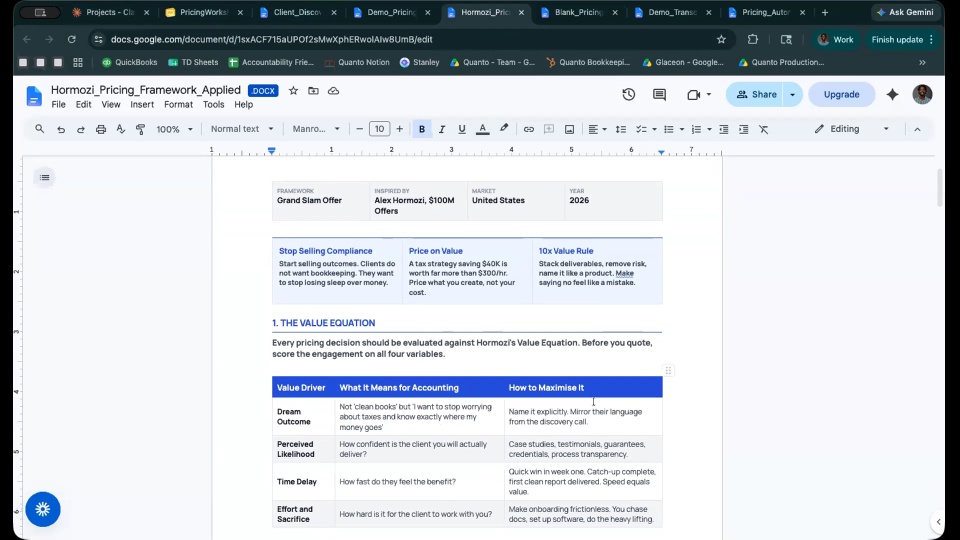
Then there are personal projects. I’m obsessed with health, so I import metrics from Strava into dashboards with graphs and targets. I built a website for my cycling club in a morning, linked to my ride GPS for planning rides, and a website for a friend’s catering business — being a pricing person, I built in the ability for customers to get a quote for private dining. I’ve built landing pages and lead pages, including an ebook lead page on my favourite AI tools, and the lead page for the guide I shared earlier, which I wrote this morning with the same tool.
My daughter, who works in the business, just built an HR app for internal use where the team can submit expense claims and it manages holiday entitlements — all through vibe coding. The limit here is just your imagination. If you can imagine it, you can build it. I didn’t know how to code until I spent time in December figuring it out, and it’s highly addictive.
24:48The three-stage build process: plan, create, optimise
When vibe coding, it’s tempting to go straight into the app and start coding. I think that’s a big mistake — you want to do things in the right order, starting with preparation. The more advanced thinking you do about what you’re trying to build, the better the result.
One of the key documents is a PRD — a product requirements document. Software developers all know this; if you went to a developer to build software, they’d expect a PRD. It defines your data model, the plan, the architecture — it tells them what you’re trying to do. We build a PRD first because it makes the build quicker and easier. If an app’s going to take me three hours, I’ll spend the first forty-five minutes building the PRD. And the great news is we can do that with AI.
I always build the PRD in a different tool — I do it in ChatGPT, but you could use Claude. That’s because tools like Lovable charge credits every time you ask them to do something, so it’s better to do your planning in ChatGPT and save your credits for building.
Then you get into the vibe coding platform — in this case, Lovable — and start the app creation. You begin by building the “scaffold,” the UI shell: what the thing is going to look like. Some developers build one step at a time; I go the other way. I’ve been teaching prompt engineering for several years, and I love one-shot prompting — how can we create a prompt that gets most of the work done straight away? So we build a close-to-finished app with one prompt. Then you add authentication, thinking about user roles and permissions — an admin for an internal app, or a login for clients. Then you attach the database and build out the rest of the features, adding anything that’s missing at any point.
Stage three is optimisation — the extra polish before launch. That’s error handling, UX reviews (user experience), design simplification, making it mobile-friendly, and security checks. We shouldn’t skip those; they make a better, more secure, more user-friendly app. Being an accountant, I love systems, so I’ve systemised this with a library of standard prompts I copy and paste — for preparation (PRD builds, domain and data model definitions) and for optimisation (error handling, UX, design simplification, mobile optimisation).
30:50Building the PRD in ChatGPT
A PRD sounds fancy, but it’s just a structured brief — the bridge between the idea you have and a working app. It covers the app’s purpose and goals, what problems it solves, the target audience, the core features, the user journey, the data model, and the branding.
I go into ChatGPT first and run a standard prompt from my library — my PRD builder. All I have to do is add a description of the app. For today’s app, the description was: “I want to build an app that allows me to upload financial transactions — including bank statements, sales invoices, purchase invoices, receipts and card settlement reports — for a single bookkeeping client at a time, then use AI to extract structured data from each PDF, automatically reconcile bank movements against the supporting documents, flag anomalies, and finally produce a concise AI-written month-end review summary alongside a dashboard of KPIs and charts, all wrapped in a clean, step-by-step workflow — designed to help a UK accounting practice run their month-end checks in minutes instead of hours.”
The great thing about doing the PRD this way is that my prompt makes ChatGPT ask a whole bunch of clarifying questions — typically twenty or thirty. If you’re not a developer, you probably haven’t thought through everything a developer would need to know: who the users are, whether it needs a hidden admin page, the branding. It’ll ask things like, “Is this app for one accounting firm using it internally, or a product you may later offer to multiple firms?” and “Who is the target user — is it a bookkeeper?” I’d grab a recording device and give quick overviews, and then it builds the PRD.
The PRD I built earlier for our month-end checker has a product name, the goal, the target user (an accountant or bookkeeper reviewing a small business client’s month-end records), the scope (client setup, reporting period setup, PDF uploads, bank statement extraction), what’s out of scope (so I can decide to build that later in version two), and the navigation structure (dashboard, client setup, upload documents, bank transactions, documents). All of this was built in seconds. I usually don’t bother checking it, because from experience I know what it writes is really good. I export it from ChatGPT and give it to Lovable.
37:09Live build: feeding the PRD into Lovable
This is Lovable. There’s a chat box in the middle, like Claude or ChatGPT, and underneath it all the apps you’ve built. You put in what you want it to build, and you can attach files — this time, the PRD. You can also set the design and add connectors, but I want to keep this simple.
I’ll click “attach file” and upload the markdown version of the PRD I just showed you. Then a simple prompt: “I’ve attached the PRD for an app I want you to build. Can you read the PRD and then go ahead and build the scaffold for this app.” Simple as that. I don’t have to understand programming — I’m just saying, follow the PRD that ChatGPT gave me.
It gives you its plan: it’s parsing the PRD, outlining the scaffold process — “scaffold” just means building the shell, the front end people will see — then creating the database schema and the storage bucket, and setting up the design. You feel like you’re making real progress straight away. Depending on the complexity of the prompt, this could take two minutes or five, which is the risk of a live demo.
A tip on the link I shared in the guide: if you use my link to try Lovable on a free account, you get a bonus ten credits, so instead of five on day one, you get fifteen — you can do a lot more with it.
44:11Inspecting the scaffold, database, and RLS
It’s built it now. I’ve got my scaffold with all the tabs set up, just like the finished product I showed you earlier. We’ve got client setup, where you put in the client name and business type. Occasionally you’ll get an error message — that’s fine, you just hit the fix button. Let me test setting up a client for the month of May. Yes, I’ve got an active client, so now I can drag and drop my invoices and bank transactions, and it’ll read and document them.
This is the scaffold — the first version creates what the software will look like. You might not be happy with the look; I kept it simple and gave no branding guidelines, so it’s basic, but you get to preview it on the right, including how it looks on an iPad and an iPhone. If it doesn’t look good, you can ask it to make it mobile-friendly.
If I go to the Cloud tab, this is where it sets up the database — a table of clients with my first test entry. The database is there behind the scenes, all hooked up; you don’t have to know how to do it, and it builds in RLS, the security. You can open up and read the RLS policies if you want, but I don’t need to — I know Lovable is really good with security. On the far right, you can publish the app; by default it goes on a [name].lovable.app URL, which you can change, but if it’s for personal use you can just leave it hosted on Lovable.
Answering a question from the chat about the benefit of Lovable or Bolt over Claude Code: Claude Code and Codex are very good, but they’re a scarier place — you need to understand more about developing software, and it’s not really for beginners. You’d also need to separately connect a database, then host your app somewhere — you’d upload your code to a GitHub account and get a subscription to something like Vercel or Railway for hosting, then link GitHub to Vercel. You can do all that, and if you don’t know how, you can ask Codex or Claude Code for the steps. But Lovable does all of that for you — the database is set up in the back end, no separate subscription needed. If you want a separate database you still can; Neil and I both use Airtable, and you could build an app that writes to Airtable via the API. But if you want to keep life simple, Lovable makes it simple.
50:11Plan mode vs build mode, and adding a logo
On the left you have your chat. A really useful tip: there’s a toggle between “build” and “plan.” Plan mode is like having a conversation with any AI — you can ask questions and it won’t change your app. Build mode actually does something. I alternate between them. I always ask questions first, then build.
For example, because the PRD built so much, I might not know where to go next, so I’ll ask Lovable in plan mode: “This looks great. Can you give me a quick summary of everything you have built from the PRD? But most important, give me a list of what hasn’t yet been done and give me an action plan of what we should build next.” It comes back with what’s built, what’s missing — like interactive column sorting on the bank transactions table, or end-to-end workflow validation with real PDFs — and a phased action plan. I copy that into a document and use it as my checklist as I vibe code.
Let’s add a firm logo. I’ll attach the logo and switch to build mode: “I’ve added my firm’s logo. In the nav bar, can you put my logo in the top right of the nav bar? Make it fairly big so it can be seen.” It uploads the logo and, in real time, shows the change. It’s placed it top right — but I’d want it bigger, so: “It’s a bit small. Can you make the logo twice the height and the width?” And it does exactly that. This is vibe coding — you just talk to it, you don’t have to understand the code. I find it very addictive, and I think accountants and bookkeepers make good coders because we’re systematic in our thinking.
56:03Generating new feature ideas and the polish stage
Another thing I do is go into plan mode and say, “This app is great. Give me three or four ideas of other features I could build into it.” It comes back with suggestions — a multi-client firm dashboard, a month-end close checklist, recurring transaction rules with missing-item alerts, and journal entry generation with accounting software export. It then asks which resonates most with how your firm works.
If I like one, I’ll go into plan mode again and say, “I love number three. Can you give me a plan for how that’s going to work?” I ask for the plan first so I can see what it proposes; if I like it, I say “Great, go ahead,” and if not, I’ll redirect it. That’s essentially vibe coding.
When you’ve got something you’re happy with, you do the polish — for example, asking it to review and improve the user experience. The limit really is your imagination: if you can think it, you can build it.