“The reason why AI hallucinates is because it just doesn't have enough context.”
Anderson Peter George, a CPA and co-founder of Quanto, builds a firm pricing calculator live in Claude. His core argument: most firms underprice because pricing lives in spreadsheets and memory, and the fix isn’t a flashy app but giving AI enough context to reason like a trusted partner. He frames AI as a new intern that hallucinates only because it lacks context — so you feed it a pricing framework, a four-page client discovery checklist, and real meeting transcripts.
He walks through setting up a Claude Project (not just a chat) so files and instructions persist across every client and can be shared with the team. He stresses security — use a paid plan with training switched off, never put client data in the free tier — and shows how to anchor the model with an example of a client you priced well, plus complexity adjustments and cleanup fees firms routinely forget to charge.
Live, he speaks a transcript in via Wispr Flow and asks Claude what the discovery call missed and how to price the client, getting a $20k–$22k revenue estimate. He pushes past revenue to profit by layering in team time estimates, then generates a proposal — noting Ignition and Anchor now have MCP connections into Claude, and that Cowork runs this faster against a Drive folder.
The throughline: vibe-coding a pricing tool is easy, but a beautiful UI over a wrong framework is more dangerous than no tool at all. Intelligence underneath beats polish on top.
Key lessons
- Treat AI like a new intern: it hallucinates because it lacks context, so feed it a detailed pricing framework, a multi-page discovery checklist, and real meeting notes.
- A sleek pricing app is worthless if the underlying framework is wrong — a clean UI makes people trust bad numbers more, not less.
- Use a Claude Project (not just a chat) so files and instructions replicate across every client, and share it with the team via a business/team plan for security and reuse.
- Give the AI an example of a client you priced well (not one you regret) so it anchors to profitable pricing; include complexity adjustments and cleanup/onboarding fees.
- Re-feed meeting transcripts after onboarding to catch scope creep and re-price growing clients automatically.
- Go past revenue to profit by adding your team's time estimates per task, so the tool flags clients that look lucrative but drain capacity.
Tools mentioned
Resources & links
- Claude tool
- Quanto company
- Vinyl tool
- Ignition tool
- Anchor tool
- Wispr Flow tool
- $100M Offers by Alex Hormozi book
- $100M Money Models by Alex Hormozi book
- 11:11 “The reason why AI hallucinates is because it just doesn't have enough context.”
- 25:05 “None of this really matters if the underlying framework underneath it isn't really correct and it hallucinates.”
- 18:02 “Don't give it an example where you're like, I really wish I charged this customer higher.”
 , the AI meeting assistant for
accountants.
, the AI meeting assistant for
accountants. Anderson Peter George — Co-founder, Quanto
02:24Why this is a live build, not a recording
I’m super excited to be here. One of the benefits of this session is that I’m actually live — so please make use of the Q&A, because you’re all spending the time to be here and I want to answer your questions right away. There are a lot of people here, so I’ll do my best to watch the Q&A, and Amber is helping me with the chat too. We’ll have about ten minutes near the end to dig into questions specifically, but even throughout, if you have a question or get stuck during the live build, pause me and we’ll go there.
I’ll give a quick overview of what we’re covering, then we’ll go into actually doing it live with Claude. For those of you who have ChatGPT, it’s very similar, but I do recommend Claude because Claude does a lot of other amazing things that we’ll get into.
03:10A framework for pricing: Alex Hormozi as a second brain
I want to help you think about pricing from an approach that gives you a framework. I’m going to use Alex Hormozi’s framework because it’s very relevant to where the accounting industry is going — higher pricing, advisory-type work, moving away from traditional bookkeeping priced purely by number of transactions. He’s a business model guru, and his books like $100M Offers and $100M Money Models are a great starting point.
You can take a framework that’s available online, Hormozi’s being one of them, but also your own firm’s framework if you’ve already built one, or insights shared by a peer group of accounting firm owners. The AI will incorporate that and have it sit as a second brain within your Claude.
04:39Why pricing is personal to me
A bit about why this topic is so important to me. I’m a CPA, trained here in Canada. I started my career at KPMG — a traditional accounting, tax, and audit path — then went away to study at Oxford and Harvard. That’s when ChatGPT blew up, and I thought, okay, let me come back. I built a company called Quanto. We originally started as an accounting firm ourselves, and now we work specifically with accounting firms to help them grow in the age of AI using a lot of the tools I’ll show today. So this comes from a place of us building these systems for our own firm first, and now doing it with a number of accounting firms directly. We’re sharing those insights completely free here.
05:20The lemonade-stand model of pricing
I want to step back to why pricing matters. We work with incredible business owners, helping them stay compliant and get the financial clarity to grow. But sometimes we don’t apply that same logic to our own firms.
Think about a lemonade stand. There are ingredients that go into how you price something: the raw ingredients — lemon, water, sugar, ice — and then something very important, your time. If you spend two dollars on raw materials and a dollar of your time and you price at $2.50, you’re losing money. If you price at five dollars, you’re making a two-dollar profit.
This sounds mundane, but we work with a lot of firms that misprice their initial engagement. Things aren’t as simple as raw materials — these businesses don’t look the same, and they require different things. This is where AI can come in and make sure you think through it rationally. Sometimes as accountants we feel empathy toward business owners, and we underprice them and then can’t increase those prices later.
For a firm, the inputs are your accounting degree, the time you spent becoming certified, the software you pay for, payroll and expenses if you have a team, and your time — all resulting in clean, compliant financials and a happy business owner.
08:15The Claude setup and the security question
Let me jump into my Claude setup. We built a setup tailored to mimicking your own accounting firm. If you have a Claude subscription, pull it up so you can build along with us. Internally we call this our demo environment — the Johto Accounting and Advisory firm.
The number one question we always get is security. This is a business/team plan, and in the settings you make sure it’s not training on your data — with a business plan that’s noted automatically. But if you’re using the free plan, you definitely don’t want to put any client-sensitive information in there. This is why we always suggest clients pay for at least something. The plan where you can switch off training in the settings is only around twenty US dollars. That’s the one caveat before folks start throwing in financial statements and confidential information.
There are a few things here: the chat function, projects — we created a client pricing project that we’ll build live — and code. I’m on the browser app right now, but I’ll show you on the desktop app how to create an app of your own just by speaking into Claude Code.
09:39The point is the framework, not a sleek app
I want to emphasize: the whole point isn’t to create a really cool app. What framework and what information you put in is what the output will be. Don’t focus on getting a sleek app where the business owner enters their information, only to realize you’re still underpricing yourself. You want everything you do to be profitable at the end of the day.
We’re going to make sure we understand how your team already prices things. We’re not going into change management — switching from billing to fixed fee — we’ll assume you have something in place. We take that information, give it to the AI, and make sure it stays rational. Using sources like meeting-note recorders — shout out to Vinyl — you can find the data that helps you price profitably.
11:11The client discovery document: feeding the AI context
The first step is to set context for the firm’s pricing. We’ll do a fixed retainer, but you can also do tiered or hourly. Then define the variables, which is how the AI determines how to price things.
Think of AI like an intern joining your firm — it doesn’t have enough context, so you need to provide it. That’s the context document. The reason AI hallucinates is that it just doesn’t have enough context. If you got an intern to join all your calls and price your clients, there’s no way you’d let them do that within their first year. That’s usually you, or someone who’s been in the firm a long time and whom you trust. You have to give your AI project all that knowledge through these questions.
That’s why this is a long document — four pages of questions. As a firm owner, these are questions you’d ask on a call: What type of entity are you? What industry? How long have you been in business? Exactly what services are you asking for? You can also pass this to an employee to run themselves.
Documenting things as much as possible is one of the most important things you can do in the age of AI, because everything you used to train a human with is what you’ll train AI agents with as they get better.
13:25Scope creep and continuous re-pricing
A lot of scope creep happens because we get emotionally invested in these businesses. We start offering tax structuring advice, or doing more CFO-type work, and not charging for it. This is where your meeting notes become really valuable even after you’ve priced the engagement — you can put them into this Claude project and ask: am I doing any scope creep? Are there additional opportunities I should go back to the client and price?
We see this constantly. A client gets priced at $500 a month as an entry-level bookkeeping engagement, then grows rapidly — multiple entities, complicated sales tax — and both the client and the firm owner are too busy to go back and renegotiate. The project we’re setting up is great at exactly this: it can look at meeting-note transcripts, look at the work you’re doing, and tell you how to re-price.
There’s also subjectivity. Some customers have a higher willingness to pay. Questions like — Do you have a budget in mind? What are you currently paying? Which other firms are you comparing us with? — give the AI a range rather than a binary rule. These subjective pricing signals are really important.
16:30Reading the pricing framework output
Here’s an example of the output that came out of our Claude project for Johto Accounting & Advisory. Focus on what comes out of it before we get lost in building it ourselves.
It states the pricing philosophy and model the AI is using. This isn’t just for you as a firm owner — one of the biggest problems we see is the owner being too involved in every process, when you want to empower team members to do this work.
This source can be an existing pricing document, your standard operating procedures, or meeting notes from your sales and pricing conversations. In this case, Johto does bookkeeping on a monthly retainer with a rate by number of transactions, specific tax prep work as a flat fee, tax planning, and payroll. (As Dave noted in the chat — transformer technology is always pattern matching, which is exactly why adding more context helps it give you the right answer.) Just this exercise alone is powerful for thinking through all the services you offer.
18:02Complexity adjustments, cleanup, and good examples
Let’s talk about complexity, where the ambiguity comes in. Just as you wouldn’t trust a partner to price something perfectly, you want complexity adjustments with a little wiggle room that the client is aware of — in case they add an operating state, a different S-corp or C-corp entity, or intercompany items come up.
Then the big one: cleanup. We specialize in helping firms do cleanup and onboarding faster, and making sure you charge for it is something we often don’t see firms doing. So include onboarding setup fees.
Crucially, give the AI an example of pricing you were happy with. Don’t give it one where you wish you’d charged more, or an unprofitable client. We used an example of a client we priced properly that ended up giving us almost $30k of business. Examples are so helpful — just like for humans, they let the AI anchor and ground itself.
20:26Meeting notes as unstructured data
One more input: a meeting-note transcript. This is a hypothetical we’ll upload into our project. Whatever format you use — shout out to Vinyl — the meeting notes become data. A serious technologist might call this structured data, but for us accountants, think of it as unstructured — it’s not in the format of the discovery call or the demo pricing sheet.
Your time is the most valuable thing, and you can teach your AI. It’ll take a few tries to get it to take these transcripts and fill in the client discovery properly, flagging everything you need to price the engagement. It doesn’t have to be neatly structured — it can be exactly how you download it from your note-taker.
21:11Turning a book into a pricing framework
Another approach: we took Alex Hormozi’s book, which we bought, dropped the PDF into the project, and had it create a pricing framework based on the book as it relates to our firm. If you’re a book enthusiast — and a lot of us accountants are nerdy readers — instead of coming out of a book with a list of things to implement, you can drop the PDF into a project and ask it to make it relevant to your firm, because it’s learned everything about your firm. That’s how we got a “grand slam offer” tailored for an accounting firm — packages like a growth-engine package.
This framework is very different from the one we actually use, but I want to show how you can experiment with what a different pricing model could look like based on different resources. Many accounting communities and alliances have their own pricing packages — feed those templates in, and based on your firm’s goals it gives you a beautiful output to read over and see if it works.
25:05A preview of the finished app (Claude Code)
Before building the project, let me show the end output on the Claude desktop app to motivate us. This is an app where I can throw in my meeting notes and it extracts the insights. You can enter the client name, or it can populate that. I’ll put myself in — Anderson, primary contact, industry professional services — and click “generate engagement analysis,” and you get a beautiful UI your team can use, or even give to a client to populate.
But none of this matters if the underlying framework is wrong and it hallucinates. It’s even more detrimental when it looks this clean, because people trust it more while the data is wrong. If the UI is beautiful and says you should charge $500, but it’s a multi-entity client you’re doing tax strategy for and you should be charging $20k a year, it doesn’t matter how nice it looks. So with all the vibe coding going around — yes, it’s cool you can build this, but making sure it’s actually intelligent underneath is the most important thing.
I built this entirely in natural language. I said: “build an interactive tool that asks for the user’s name” and all this information, “making it something someone non-technical can use.” I kept talking to it, pushing updates, uploading notes — and it created this in Claude Code. But this isn’t good data yet, because I haven’t put our real framework into it. So let’s set up the project correctly.
27:57Creating the Claude project
New project — let’s call it “Johto Advisory Pricing Calculator.” You can keep it private or share it with your team. If you’re working as a firm with multiple people, definitely use the business or team plan for security, and so the rest of your team can use the hard work you put in.
We have other internal projects at Quanto — for example, one for team performance goals and promotions, which I’d keep private because of confidential HR content. A pricing calculator, though, you’d want available to everyone doing pricing.
You don’t need to put much in the project name area, because everything goes into the instructions. The file area looks blank, but this is where all those documents go — client discovery, demo pricing, and so on. This takes a decent amount of time to put together, but once you do, you just drag it over. Let me upload the Johto demo pricing file.
29:31Instructions: controlling the output format
There’s a lot of capacity now — you can put your best client’s information in, and more tailored instructions. If you want the output structured a certain way, put that in the instructions: “I want a five-line summary at the top, the price upfront right after in a range, then five bullets on why it’s priced that way.” That makes the instructions very short.
I’m not going to save that particular instruction here, because I actually want the detailed output like the full client pricing framework. But for specific people on your team you might want it very concise.
Note there’s a chat right on the project — that’s a thread that uses all these instructions and files across all chats. But if you want a conversation for one specific client, create it in its own chat. The files and instructions matter because they replicate across every new client and any pricing updates.
Let me add the demo pricing and the client discovery call checklist. Even though the checklist is blank, I want the AI to have a sense of how to do it. (Faye asked about brand guidelines — great question. Definitely put your brand guidelines in here and it’ll match that format. The caveat is it isn’t always the best with logos — it might get a gradient wrong or overlap things — but it’s better than a generic blank one. You’ll at least get your colors.)
32:28Pricing a live client from a transcript
Let’s start a chat and drop in this demo transcript — say it’s from a client call you just had, and you’ve got your notes from Vinyl. One thing I’m a huge fan of: using voice. You can speak to it far faster than you can type. Think about training a new employee with only typed notes — that would be a nightmare, given how much context the AI needs. I use Wispr Flow, but you can also just use the mic in Claude.
So I’ll speak: “Here’s a transcript for this new client I got. We had a really great conversation, but I’m stuck on how to price them. Using our Johto Advisory framework — is there anything from this transcript that’s missing from the discovery call? Any additional information that would help us price this properly? And overall, what do you think about this client and how should we approach the pricing?”
From that transcript, it pulls out: a single-member LLC, the number of transactions, Texas and New Mexico activity, books four to five months behind, two employees. You get comfort because you were on the call — I wouldn’t recommend doing this for calls you weren’t on, at least not until you trust the output. Go back and forth; don’t trust it right away. But because these models are so language-focused, they remember everything, and there will be things your human brain missed.
So instead of pricing immediately and later wishing you’d known something, the AI tells you what’s missing — based on your pricing framework, the core source of truth you built — so you can go back and ask those questions. It also says whether the client is a great fit, which helps a team member you’ve trusted to run sales and onboarding calls. Here it estimates this client could bring in $20k–$22k of revenue.
35:46From revenue to profit: factoring in your team’s time
Revenue is great, but as accountants we know you have to factor in your cost — your time. You can use timekeepers, or just survey your team for how long typical work takes within a range. It’s not always perfect, but give it a range and it can produce a really good profit-and-loss per client.
Some of our clients have a great Excel file with all their clients, all the revenue streams, and at the bottom how long things typically take — connecting into their practice management system. Some of those track time, or you can use the triage in practice management systems to see how much back-and-forth you’ve had with a customer. If each back-and-forth costs you ten or twenty dollars, you might find a client is extremely expensive because it’s sucking up so much of your team’s time. Once your revenue line is solid, you can build a lot on top of it.
37:22Maintaining the project and the memory file
Now that we have this project, you can click into it any time, add more files, and add more instructions in a specific format. Always update these files based on new insights — if you’ve hired someone with a different specialty, say a controller, update it. That’s a key housekeeping task: check what files are uploaded and that the memory file is current.
One cool thing Claude does — and ChatGPT too — is it remembers everything about your firm subconsciously, learning from all your queries. You can open a new chat and ask, “What do you know about myself?” I did this live on an AICPA call and it was a little embarrassing, because sometimes my wife uses my Claude setup to get cooking recipes, so it said I love making certain dishes. Try it in your chat — and if anything isn’t relevant to your firm, fix that memory file, because that’s how Claude is perceiving you.
39:36Generating a proposal and connecting to Ignition/Anchor
Faye asked: when do you take the output from the calculator and put it into a proposal built in Claude? Let’s do it live: “This is great. Can you put this in a proposal format for me in our brand guidelines?”
The internal framework isn’t really the invoice. You probably have a separate invoicing/proposal document, possibly sitting in your Ignition or Anchor. Upload that into it. Both Ignition and Anchor now have an MCP into Claude, so you can use this chat to create the proposal directly in Anchor or Ignition, which is super cool.
Interestingly, it’s putting this into Quanto format because it remembers our brand guidelines from other projects — which is exactly why the memory file is so important. It thinks it’s Quanto, but we were doing this for Johto Advisory, so that’s something I’d need to fix.
On models: I’m using Sonnet 4.6 so we don’t burn through all our credits. You can use Opus — the new one is 4.8, a smarter model — for things involving more judgment and analytics. I’d use Opus 4.8 for building that first framework, and Sonnet for this, since it’s just reformatting existing information.
42:38Why Cowork makes this faster
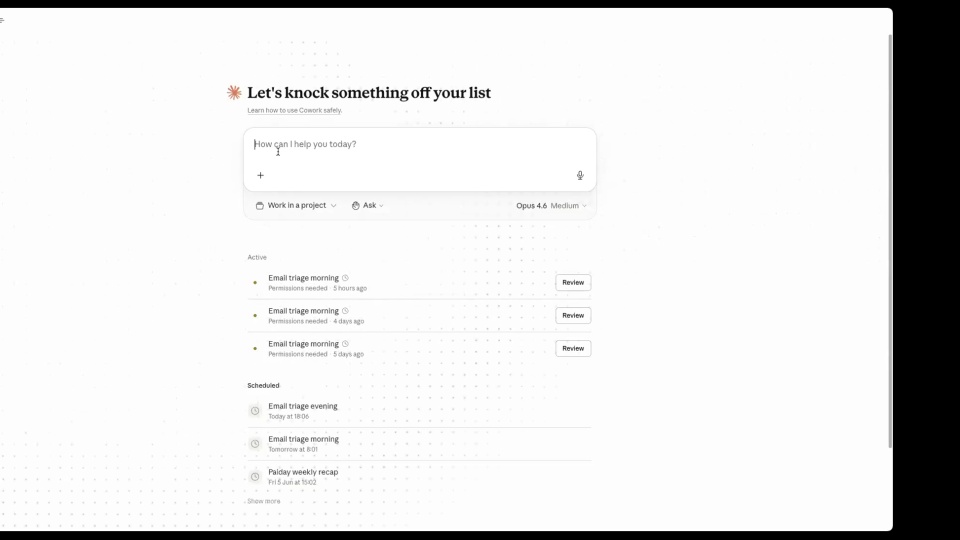
The proposal is taking longer than usual here — Asad made a good point, this would work much faster in Cowork. Because I’m on the desktop just to flip through it, it’s slower. Cowork is great because you can connect it to a Google Drive or OneDrive folder, drop the proposal into a client-specific folder, or keep a list of all your proposal engagements in one folder.
This is in chat, so you’d copy it and put it into a Word doc — but Cowork can output it straight into the format you want. Everything here is relevant: from that meeting note, it took all the information and produced a client proposal with a range around $20k. It’s a strong starting point to go through and refine.
44:00Get the templates
This was a lot of fun — I nerd out about this. We share a lot of it on LinkedIn, and I want to share all these frameworks and templates. I don’t have any of your emails, which I think is on purpose, so if any of this is of interest, send me a DM on LinkedIn and I’ll zip up all the files and send them across. Really excited to see more fellow accountants using AI like this to grow their firms.