“It's not that Claude is better than Co Pilot, it's that Claude is ahead of Co Pilot in time. If you're on Co Pilot you're getting everything, but you're just getting it a bit later and more secure.”
Inbal Rodnay opens by tackling the question buzzing through her AI Club for accountants: with everyone making noise about Claude, should firms on Microsoft Copilot feel left behind? She answers by running the same tasks in both tools side by side. On the Claude side she demos Claude Cowork — a desktop app that reads local files — processing a folder of messy receipt photos, renaming them, and pushing them to Xero as unreconciled spent-money transactions, plus a daily brief built from reusable “skills” and plain Markdown files that Claude updates over time so it learns her priorities and coaching profile.
She then crosses into Microsoft land, showing Copilot Premium’s inbox triage (inspired by a Club member clearing 2,500 holiday emails), Copilot Cowork — which is actually Claude brought in-house by Microsoft — and the Frontier early-release program needed to access it. A Club member’s attempt to recreate her receipts-to-Xero flow in Copilot Cowork stalled at the push to Xero, illustrating her core point: Copilot is the same engine set up for enterprise, deliberately restricted to OneDrive/SharePoint so IT and owners can sleep at night. She also walks through Copilot workflows, Copilot Studio agent flows, and a head-to-head Excel dashboard comparison.
The through-line is that Claude is ahead of Copilot in time rather than fundamentally better — Copilot users get the same capabilities later, but more secure and contained. Microsoft is positioning itself as an aggregator, letting users pick Claude or GPT as the underlying model. She covers the cybersecurity trade-offs (Claude sends data to Anthropic overseas; Microsoft keeps GPT in-tenant), the underwhelming, read-only state of Xero and QuickBooks MCP servers versus real API integrations, and where Gemini fits for Google-native teams.
Her bottom line, mapped to the technology adoption curve: roughly 90% of firms are sensibly on Copilot, with innovators and small internal “labs” experimenting on Claude. If you’re on Copilot, you’re with the majority — not behind, not alone — and a sensible business choice for a whole team.
Key lessons
- Claude is ahead of Copilot in time, not necessarily better — Copilot users get the same capabilities later but more secure and locked down.
- Claude Cowork reads local files and can push receipts to Xero via API; Copilot Cowork (built on Claude) is enterprise-restricted to OneDrive/SharePoint by design.
- The "magic" is unglamorous: scheduled tasks, reusable skills, and simple local Markdown text files Claude updates over time so it gets smarter about you.
- Microsoft positions itself as an aggregator — you can pick Claude or GPT as the model inside Copilot, enabled by your tenant admin via the Frontier program.
- MCP servers (Xero, QuickBooks Online) are still limited and read-only; for real read/write integrations you still need good old API connections.
- Around 90% of firms in practice are on Copilot; if you're hearing the Claude noise, you're not behind — you're hearing innovators and early adopters experimenting.
Tools mentioned
Resources & links
- 38:23 “It's not that Claude is better than Co Pilot, it's that Claude is ahead of Co Pilot in time. If you're on Co Pilot you're getting everything, but you're just getting it a bit later and more secure.”
- 27:55 “People love Claude because it can do anything. People who need to sleep at night knowing that their entire team has access to something like Claude a bit less if they understand what it can do and prefer Copilot.”
- 12:21 “No magic, no big systems that I've purchased. Just a text file that whenever I have chats with my AI, I tell you, right, you need to save this.”
- 47:48 “If you're on co pilot and you're hearing all the noise about Claude, breathe and know that you are with the majority. You are not behind, you are not alone.”
 , the AI meeting assistant for
accountants.
, the AI meeting assistant for
accountants. Inbal Rodnay — Founder & AI advisor, Theory and Motion (AI Club for accountants)
06:10Why everyone is suddenly talking about Claude
We’re going to talk about Claude and Copilot and Microsoft, and what you should use and how to make the choice. It’s a really timely conversation. When we launched our AI Club, in the first session we had people sharing all the amazing stuff they’re doing with Claude. And then someone in the chat said, “Well, I feel a bit out of place because I’m on Copilot.” So we stopped the session and asked everyone: are you on Copilot, or are you on Claude? The vast majority — almost everyone — is on Copilot. But the loud voices we’re hearing are on Claude, because they’re doing amazing things.
There are a lot of people who don’t even know what Claude is, what it does, or why everyone’s talking about it. So that’s what I want to cover. We’re going to start by looking at some great things that Claude can do, then look at Copilot and give it a bit of a fight — to answer the question, is Claude really that amazing, and should we all move to it?
08:35Claude Cowork: the nightly Xero invoice processor
I’ll start by showing you what I built in the last implementation session at the Club. This one uses Claude. This is Claude Cowork, which is part of Claude, and it has scheduled tasks. One of my tasks is a Xero invoice processor that I created in that working session. Even though it runs nightly, I’m clicking “run now” to show you what it does.
I’ve got a folder of invoices and receipts, all named those crazy filenames you get from a phone camera or from email. Claude reads them. It notes, “there’s an Anthropic AUD invoice but no GST.” It renames them all nicely. It gives me a summary, and then it pushes them to Xero for me — you can see them as unreconciled spent-money transactions with the attachment, so my accountant is happy and can check everything.
The one that blew my mind: I had a handwritten note on a receipt — “shuttle airport to hotel in Auckland” — and Claude actually copied that handwriting into the line description. I often put handwritten notes on receipts so my accountant knows what I’m doing, and it picked that up. (And yes, someone’s pointed out that’s not a valid tax invoice — don’t tell my accountant, that’s all I got from the shuttle.)
The reason Claude Cowork can do this is that it lives on my desktop, so it can read files locally on my device. I don’t need to upload anything — it accesses my local file system. Copilot didn’t originally do that, but there’s now Copilot Cowork too, and I’ll show you that shortly.
12:21The daily brief built from skills and local files
The other thing I love doing with Claude is a daily brief — another scheduled task that runs every day. It gives me an HTML file with today’s priorities and outcomes. Then it goes into the first person I’m meeting, tells me she’s a Club member, and notes she’s stuck on an AML risk assessment. It even suggests I record that session and turn it into a step-by-step AML risk assessment agent guide for the Club. It gives me coaching tips, best outcomes, and what to watch for.
Look — Trent’s in my daily brief too. It says this is a final pre-session check-in, a logistical task not a creative one, and to “keep it tight, Inbal” — as if it knows I talk a lot.
The way it’s built is with a skill — the daily briefing skill — which tells Claude how to do this task so I don’t have to explain it every day. The skill says: Monday, give me a full briefing with a beginning-of-week energy boost; Tuesday to Thursday, standard; Friday, a next-week preview. Then read the coaching priorities, the main coaching profile, yesterday’s end-of-day journal.
This magic happens because I have these files locally on my device — simple text files called Markdown (.md), which you can open and read as plain text. Files like “Inbal sales profile,” “Inbal revenue mix,” “Inbal priorities.” I get Claude to take notes about me, so when it coaches me it’s not the generic coach on the planet — it’s a coach that took notes from our conversations. It knows I get overwhelmed sometimes and why, that I forget things I’ve already done and start from scratch, and that I sometimes go off chatting and lose focus. So it coaches me based on that.
No magic, no big systems I purchased. Just a text file that, whenever I have a chat with my AI, I tell it: save this. And all my files are stored in my OneDrive, so my team can see them too. They’re local files, but OneDrive files — SharePoint-based — so they’re shared based on who has access to that SharePoint folder. The security is just normal SharePoint, nothing to do with Claude itself.
16:53How the brief gets smarter over time
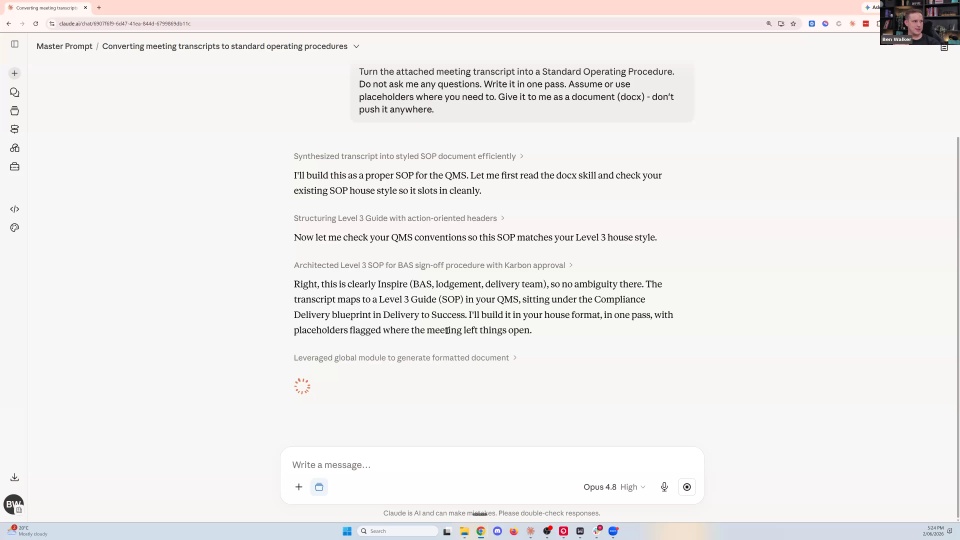
You can probably tell I didn’t write all of this myself. What I did was have chats with the AI: “Let’s do a daily brief.” It did something, and I said, “But I never remember if this person is a past client. Can you look it up?” And it said, “From now on I’ll look it up.” I asked, “Can you remember that as a skill?” — and it creates a skill.
Now, often when I read my morning brief, I’ll think, “If they were a past client, can you also tell me how much I invoiced them and when?” Then, “Can you update the skill?” It updates the skill, and tomorrow it’s even smarter. It can do all that because it has access to files that keep getting updated — my CFO and I update my priorities every week, and the daily brief reads them. All text files, no magic.
18:17The Claude ecosystem: Cowork, Code, connectors and Chrome
What makes it powerful is the connectors. It connects to Xero now and can fetch data. It connects to my project management system, my files, all sorts of apps — and it can update in those apps too.
Briefly, the Claude ecosystem: there’s Claude Chat, which we’re all familiar with. Then Claude Cowork and Claude Code, which are desktop apps that live on my desktop. I open it in the morning and there are things waiting for me that it did overnight. It has plugins to Excel, Word and PowerPoint — when I built this slide, I asked it to organise everything nicely, apply colours and align it, and it did the whole thing.
My connectors include Asana, Canva, Circle, Google, Microsoft, Notion and Xero. It has skills, and it has plugins — which are just groups of connectors and skills bundled together by Anthropic. Then there are all the models underneath. It also has Claude for Chrome, so it can take over my browser, interact with pages and fill out forms, and Claude Cowork can activate that. It can even use computer use and start clicking around my computer.
On security: I don’t give it my password. It connects through MCP, which is like the AI-age version of an API — a secure connection, but for AIs. That’s why everyone’s in love with this.
21:17Over in Microsoft land: cleaning the inbox in Copilot
So Claude is amazing — should we all move to it? My answer is probably not, and let me show you why. Let’s look at Microsoft Copilot. I’m in M365 Copilot, on the premium tier.
My first experiment wasn’t my own idea. In our Club session, a member named Jesse shared that he came back from holiday to 2,500 emails. Overwhelmed, he asked Copilot to tidy up his inbox — and it worked beautifully. Then he scheduled it to run every fifteen minutes, so now his inbox is always clean.
Copilot has basic and premium. Basic includes the chat function, connections, and Copilot in your Excel and Word. Premium — about an extra $30-something per user per month — gives you more capabilities and the built-in WorkIQ connection to your Outlook, Word, Excel and Microsoft life.
24:10Copilot Cowork and the Frontier program
So I looked at how Jesse did it. Microsoft now has Copilot Cowork, which is not a copy of the Anthropic one — what they’ve done is bring Claude in, so Claude Cowork is now built into Copilot on Copilot Premium. Copilot Cowork is designed for tasks, not chat — it’s for doing things. It suggests options like “organise my inbox,” “arrange my week,” “prepare me for a meeting.”
“Organise my inbox” drops in a prompt: review emails in Outlook, give a total count and rough breakdown, flag anything from your management chain and anything urgent. Then triage each email — if it’s spam, delete it; if it’s a broad update, summarise and unclaim it; if it’s a meeting invite, accept or decline; if it needs a reply, draft one. Of course you’d refine the prompt to make it your own — Jesse confirms he had to edit a few things it guessed.
If you have premium but don’t see Cowork, notice it’s labelled “Frontier.” Frontier is Microsoft’s early-release program. Anyone can get on it — you don’t need a lot of LinkedIn followers or to be good-looking. You just go to your Microsoft tenant admin and enable Frontier. In the Copilot admin, go to Frontier and turn it on — for everyone, or for specific users. If you’re not your own admin, ask your IT person to switch it on.
27:55Why Copilot Cowork is more restricted — and why that’s good
Copilot Cowork doesn’t work exactly like Claude Cowork. One of our members, Ben, tried to recreate my receipts-to-Xero workflow in Copilot Cowork. It worked to a degree, but not fully. The reason is that Copilot Cowork has the same engine and capabilities as Claude Cowork, but set up for enterprise. It runs in my browser, not really on my desktop — it doesn’t touch my C: drive. It’s tightly connected to OneDrive and SharePoint and works on the files there.
On one hand, that’s more limited. On the other hand, it’s a good thing. It means I don’t have to worry about everyone on my team doing things on their desktop where nobody knows what they’re doing or whether it’s secure. With Claude Cowork, I could very easily connect to my systems and then publish an HTML page that anyone could find and use to get into my systems — I could do that in ten minutes, and no one can control that. With Copilot, everything is more contained and more secure. It feels more restricted, which is true, and that gets frustrating for a small business — but the IT people and business owners can sleep at night.
When Ben tried it, he could easily get Copilot Cowork to read the receipts, analyse them, and build a register in a spreadsheet — but pushing to Xero got stuck. He needed more permissions and access to different areas of Copilot, and that’s a good thing. It keeps us safe.
On the question of whether you can build those security barriers with a Claude Teams account: it’s a lot harder to secure, because Claude can just write a Python script and run it for me — it has far fewer guardrails. Sharing within a team is harder too. People love Claude because it can do anything; people who need to sleep at night, knowing their whole team has access, lean toward Copilot.
31:53Workflows, Copilot Studio and candidate screening
Another function is workflows — also a Frontier capability. I’ve got one called “notify on emails from Sunny”: when I get an email from Sunny, send me a Teams message with the subject and a short preview. Sunny and I were going back and forth on an agreement, and I don’t check email during the day, but I wanted to jump on hers right away. How hard was it to build? I just wrote, “Whenever I get an email from Sunny, message me on Teams,” and it created the flow. Anyone who’s used Power Automate will find this familiar — they’re very tightly connected.
For more complex processes, I go to Copilot Studio — where agents with tools live, tucked away so that not everyone is building things. I created a candidate screening demo: whenever a new email arrives in a folder, run a prompt and add a row to a table — scoring each candidate against five criteria, flagging red flags and standout candidates, a one-line AI summary, and a recommended next step. The prompt is simply: “You are an experienced hiring assistant. Each candidate applies by email and answers five questions. Extract their identity details, score each of the five responses, give an overall assessment,” then write it to the table. Starting a flow like that is just describing it.
35:13Claude vs Copilot in Excel, side by side
The example that prompted this whole session is Claude and Copilot in Excel. I opened Copilot in Excel, gave it some bike-sales data based on a Microsoft example, and asked it to do some analysis — it created a nice dashboard from one prompt. I copied that same analysis prompt and did exactly the same thing with Claude, which also lives on the side here. Same data, same question, and I got a dashboard out of each.
One nice touch: Claude creates a log and writes an entry every time it touches the spreadsheet, so there’s a record of what prompt I gave and what it did. I imagine Microsoft will add that soon too.
36:03Microsoft as an aggregator: choosing your model
To complicate things further, back in Microsoft Copilot you can select which model answers your question — Claude or OpenAI’s GPT. What’s going on there? Microsoft are positioning themselves not as a competitor to the others, but as an aggregator. They’re saying: don’t get into the race, don’t choose who you’re going with — we’ll give you everything. They give you the models, not necessarily the whole product experience.
Copilot also has Researcher and Analyst, which go much deeper on a topic. Researcher now uses ChatGPT and Claude and gets them to review each other, which reduces hallucination by a further thirteen percent or so. Then there’s Copilot in your Office apps, Outlook, Teams and Edge. And to clarify the subscription: when I access Claude inside Copilot, that’s not because I have a Claude subscription — it’s part of Microsoft Copilot, and your admin can turn it on and off. By default I think it’s on. It doesn’t give you Claude Cowork; it gives you Claude as a model inside Copilot. I also have Claude separately, and that’s how I do all the rest of the magic.
38:23Who’s actually adopting what — the technology curve
If we look at the technology adoption curve: the innovators — some of them move into Claude. But they know that last year the popular kid was ChatGPT, now it’s Claude, and they don’t know who it’ll be next year. They’re happy to keep experimenting and to jump again.
The early adopters are staying on Copilot but experimenting with Claude — partly to get a good signal of what’s coming to Copilot soon. Because it’s not that Claude is better than Copilot, it’s that Claude is ahead of Copilot in time. If you’re on Copilot you’re getting everything, just a bit later and more secure.
The early majority are creating a lab. Almost every firm I see now has a small lab of AI champions who play with Claude and maybe build things — often the forensic or audit teams, for some reason. But the majority stay on Copilot because that’s the safest, most locked-down environment where the least can go wrong.
42:34Cybersecurity: what stays local and what leaves your tenant
A great question: if Claude is accessing local files and pushing into systems like Xero, what stays local and what goes to Anthropic? Claude is a third party — even when you use it inside Copilot. Microsoft tell us that when you use GPT inside Copilot, it’s their own in-house copy and nothing leaves your tenant. But when you use Claude inside Copilot, they do send the information to Anthropic to process, and Microsoft say they strip out everything personally identifiable on the way — presumably an AI is doing that, and we have to trust it. So there’s already some risk, and some people turn that off.
When you use Claude directly, you’re using a third party that takes your data overseas, so there’s more to think about. With Microsoft, you’re basically not changing your security posture — it’s the same Microsoft security you already had. If you click the green shield and follow the link, it explains whether they train on your data (they say they don’t) and what they do with it. People generally conclude they’re as safe as the rest of their Microsoft environment. With Claude you have to think further — though I do see accounting and law firms using it.
45:36Can it connect to Xero and QuickBooks? The MCP reality
On whether Claude has a ChatGPT-equivalent Cowork: I’m not aware of one. ChatGPT has Codex, their coding tool, but that’s too technical for what we want.
On connecting to QuickBooks Online and Xero: Xero released their MCP server. An MCP server is basically like a USB stick that sits on top of Xero and lets AIs talk to it — a layer over the API, so the AI doesn’t need a complex custom integration. An MCP server can be comprehensive or basic. QuickBooks Online also has one.
Xero made a big announcement about theirs, but when I tried it I found it very limited. When I asked it about a particular invoice — “what’s my latest invoice?” — it didn’t know. It can do things like cash flow and some reports, and it’s read-only. It also links to only one Xero org, not multiple, so you can’t connect all your client files. A bit underwhelming. The magic I showed earlier — sending spent-money transactions to Xero — uses good old API, not MCP. Claude wrote that connection for me and walked me through it.
So can you get account info into Xero and QuickBooks despite the restrictions? Yes — you use the API. You get Claude or Copilot to write a real connection for you.
47:48Where Gemini fits, and the bottom line
On Gemini: out of seventy people in our Club, one is on Gemini and everyone else is on Copilot. (Trent adds: Vinyl uses Gemini heavily to produce outputs and artifacts, and it does a great job — it’s much better if you live in the Google world of Drive and Docs, where it’s already built into the functions. It also does a killer job with images and photography-style visuals.)
To summarise in one phrase: if you’re on Copilot and you’re hearing all the noise about Claude — breathe. You are with the majority. You’re not behind and you’re not alone; you’re hearing the early adopters and innovators running their experiments. In my experience, around ninety percent of people in our Club are on Copilot. That’s where most of the work gets done. We don’t get every capability on day one the way Claude does, but we end up with them — without having to jump products, and knowing it’s secure.
I’m not saying you shouldn’t use Claude — I love Claude and I use it. But as a business tool for a team, Copilot is a sensible choice. You’re not behind, you’re not alone. If you’re a noob, so what? We sit for an hour and we get you to where everyone is. It’s not rocket science. You’ve got this.